
Back to: Angular Tutorials For Beginners and Professionals
Angular Services with Real-Time Application
In this article, I will discuss Angular Services with a Real-time Application. In a real-world Angular application, components alone cannot handle everything. As an application grows, responsibilities such as business logic, data sharing, API communication, authentication, caching, and logging quickly make components complex and difficult to manage. Angular Services exist to solve this problem by moving non-UI logic out of components and into dedicated, reusable units.
In this session, you will gain a deep, practical understanding of Angular Services—what they are, why they are essential, how Angular manages them internally through dependency injection, and how to design them correctly for scalable, maintainable, and testable applications. This foundation is critical for building professional Angular applications that can grow from small projects to enterprise-level systems.
What Is an Angular Service?
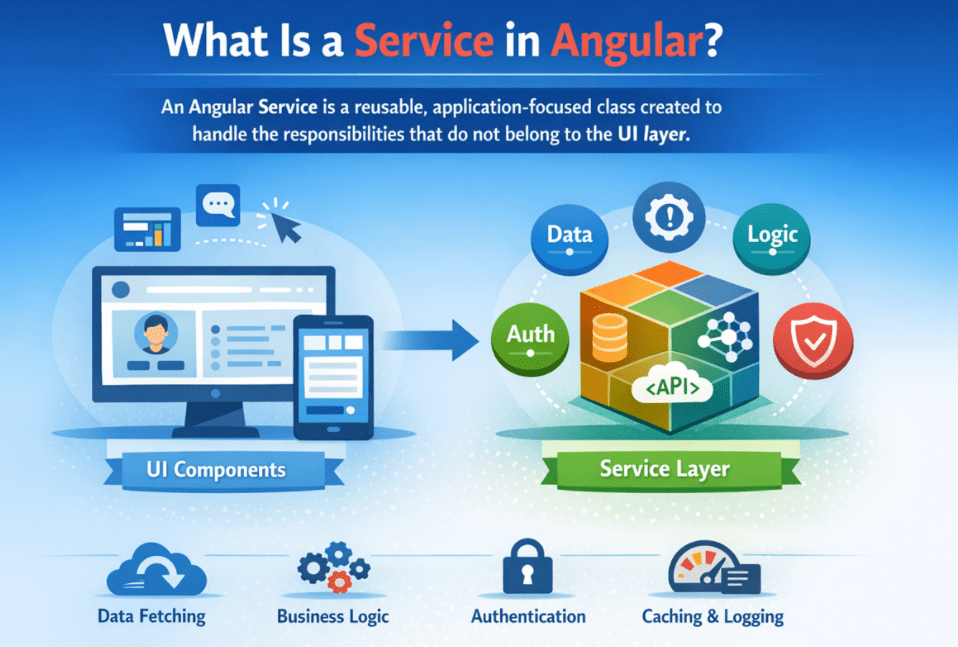
An Angular Service is a reusable, application-focused class that handles responsibilities that do not belong to the UI layer. While components are meant to display data and respond to user interactions, services are meant to manage how the application works behind the scenes—such as fetching data, applying business rules, sharing state, validating inputs, handling authentication, caching results, logging activities, and coordinating workflows.
A service has no visual presence and is not tied to any specific page or component. Instead, it represents a capability or responsibility that multiple parts of the application can depend on. Angular manages services through its Dependency Injection (DI) system, which allows them to be created, shared, and reused efficiently wherever needed.
In simple terms, a service is not about how things look but how they work. By moving non-UI logic into services, Angular applications become cleaner, more predictable, easier to test, and far more maintainable, especially as they scale to real-world, enterprise-level complexity.
Why Do We Need Angular Services?
Angular Services are not optional utilities—they are essential architectural tools. They make applications cleaner, reusable, testable, consistent, and scalable. Without services, Angular applications quickly become difficult to manage as they grow. The key advantages of Angular Services are as follows:
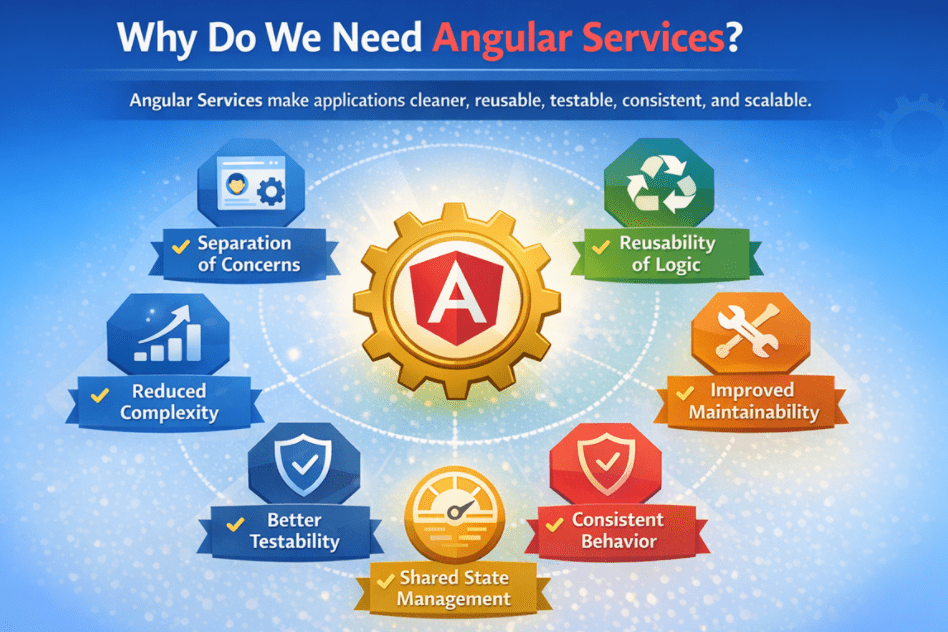
Separation of Concerns
Angular Services enforce a clear separation between what the user sees and how the application works.
- Components focus only on UI rendering and user interaction
- Services handle business logic, data processing, and rules
- Each part of the application has a single, well-defined responsibility
This separation keeps components small, readable, and easier to reason about.
Reusability of Logic
Services allow the same logic to be reused across multiple parts of the application.
- One service can be used by many components and features
- Common logic, such as validation, calculations, or API access, is written once
- Code duplication is avoided
This reduces errors and ensures consistent behaviour throughout the application.
Improved Maintainability
Centralizing logic inside services makes applications easier to maintain over time.
- Changes are made in one place instead of multiple components
- Refactoring becomes safer and faster
- The codebase remains organized as features grow
Well-designed services significantly reduce long-term maintenance costs.
Better Testability
Services are easier to test than components because they contain pure logic.
- No HTML rendering is involved
- Logic can be tested in isolation
- Unit tests are faster and more reliable
This leads to higher code quality and fewer bugs in production.
Consistent Application Behaviour
Services ensure that business rules are applied consistently across the application.
- Pricing rules, permissions, and validations are centralized
- All components rely on the same source of truth
- Inconsistent or conflicting logic is avoided
Consistency is critical in real-world and enterprise applications.
Shared State Management
Angular Services can safely manage and share state across components.
- User session information
- Shopping cart data
- Filters, themes, or preferences
- Permissions and roles
Multiple components can react to a shared state without tightly coupling to each other.
Reduced Component Complexity
By moving logic out of components:
- Components remain focused and lightweight
- UI files are easier to read and understand
- Debugging becomes simpler
This prevents the “fat component” problem common in poorly structured applications.
Real-Time Analogy for Angular Services
Think of an Angular application as a well-organized corporate organization.
- Components are like the front-facing staff—receptionists, customer executives, or support agents. They interact directly with users, collect inputs, display information, and respond to requests.
- Services are like the internal departments—such as Finance, HR, IT, and Operations. These departments perform the actual work: processing data, enforcing rules, managing records, and coordinating complex tasks.

The front-facing staff should never be responsible for:
- Calculating salaries or invoices
- Enforcing company policies
- Maintaining internal databases
- Running operational workflows
Instead, they delegate work to the appropriate department and simply present the outcome. Similarly, Angular components should not handle data fetching, business logic, shared state, or validation logic. Their role is to request actions and display results. Angular services perform work behind the scenes and return reliable results.
This separation makes the system easier to manage, scale, and evolve. Just as a company grows smoothly when responsibilities are clearly divided, Angular applications remain clean and professional when components delegate logic to services.
Real-time Application to Understand Angular Services:
In this example, we build a real-world Product Dashboard to clearly demonstrate how Angular Services are used in practice. The application displays a list of products with search, filtering, sorting, pricing calculations, stock status, and summary metrics (total products, active items, low stock count, and inventory value). For clarity, please see the following image.
All business logic and data handling—such as pricing rules, stock evaluation, filtering, sorting, and KPI calculations—are centralized inside Product Service, while Product Component focuses purely on UI rendering and user interaction. This clean separation shows how Angular Services keep components lightweight, reusable, and easy to maintain, closely reflecting how real enterprise Angular applications are structured.
Creating a New Angular Project and Component
- ng new ProductDashboard
- cd ProductDashboard
- ng g s services/ProductService
- ng g c Products
This creates:
- A fully configured Angular app
- A component to build our real-time dashboard UI
- A service to manage the data.
Add Bootstrap
Open: src/index.html and copy-paste the following code. This is the single HTML page that hosts your Angular application. Angular renders your entire app inside the <app-root> element. In this example, we also add the Bootstrap CDN so the entire application can use Bootstrap styling without installing any additional packages.
<!doctype html>
<html lang="en">
<head>
  <meta charset="utf-8">
  <title>Product Dashboard</title>
  <base href="/">
  <meta name="viewport" content="width=device-width, initial-scale=1">
  <link rel="icon" type="image/x-icon" href="favicon.ico">
  <link href="https://cdn.jsdelivr.net/npm/bootstrap@5.3.3/dist/css/bootstrap.min.css" rel="stylesheet"/>
</head>
<body>
  <app-root></app-root>
</body>
</html>
Creating Shared Product Model:
First, create a folder named models within the src/app/ folder. Then add a file named product.model.ts to the src/app/models folder and paste the following code into it. This file defines the Product interface (model), which describes the shape of product data used across the application. Keeping the product model in one place ensures that the service and component use the same “data language” and prevents repeating property definitions across multiple files.
export interface Product {
  // Unique identifier (usually from DB primary key)
  id: number;

  // Display name shown in the UI
  name: string;

  // Stock Keeping Unit (unique product code used for tracking/inventory)
  sku: string;

  // Manufacturer / brand name (useful for filtering & search)
  brand: string;

  // Product category (restricted to allowed values for type safety)
  category: 'Electronics' | 'Mobiles' | 'Accessories' | 'Appliances';

  // Base price before any discount/tax (MRP or base selling price)
  basePrice: number;

  // Discount percentage applied on basePrice (e.g., 10 means 10% off)
  discountPercent: number;

  // Tax percentage applied after discount (GST examples: 0, 5, 12, 18, 28)
  taxPercent: number;

  // Current available quantity in stock
  stockQty: number;

  // Minimum safe stock level; at/below this value the item is considered "Low Stock"
  reorderLevel: number;

  // Whether the product is available for sale/listing in the app
  isActive: boolean;

  // Customer rating score (0 to 5)
  rating: number;

  // Created date/time stored as an ISO string for demo (e.g., '2026-02-05')
  createdOn: string;
}
Creating Product Service
Open src/app/services/product-service.ts, and copy-paste the following code. This file contains the ProductService class, which represents the app’s non-UI layer. It owns the product data and all product-related business logic, including pricing calculations, stock rules, search, filtering, sorting, and summary metrics. The component does not implement these rules; it simply calls service methods, keeping UI code clean and maintainable.
import { Product } from '../models/product.model';

export class ProductService {

  // In-memory dataset for demo purposes.
  // In real applications this usually comes from:
  // - REST API / GraphQL
  // - Database via backend services
  // - Local storage / cache layer
  //
  // Kept private to protect internal state (components should not modify it directly).
  private readonly products: Product[] = [
    { id: 1, name: 'Laptop Pro 14', sku: 'LTP-14-PRO', brand: 'TechNova', category: 'Electronics', basePrice: 65000, discountPercent: 10, taxPercent: 18, stockQty: 12, reorderLevel: 5,  isActive: true,  rating: 4.6, createdOn: '2026-01-10' },
    { id: 2, name: 'Smartphone X 5G', sku: 'MOB-X-5G', brand: 'MobiMax', category: 'Mobiles',     basePrice: 32000, discountPercent: 5,  taxPercent: 18, stockQty: 3,  reorderLevel: 10, isActive: true,  rating: 4.3, createdOn: '2026-01-21' },
    { id: 3, name: 'Tablet Air 11',   sku: 'TAB-AIR-11', brand: 'TechNova', category: 'Electronics', basePrice: 21000, discountPercent: 0,  taxPercent: 18, stockQty: 0,  reorderLevel: 4,  isActive: false, rating: 4.0, createdOn: '2025-12-02' },
    { id: 4, name: 'Fast Charger 65W',sku: 'ACC-CHG-65W', brand: 'ChargePro', category: 'Accessories', basePrice: 1999,  discountPercent: 15, taxPercent: 18, stockQty: 40, reorderLevel: 15, isActive: true,  rating: 4.7, createdOn: '2026-02-01' },
    { id: 5, name: 'Wireless Earbuds S2', sku: 'ACC-EAR-S2', brand: 'SoundMint', category: 'Accessories', basePrice: 3499, discountPercent: 20, taxPercent: 18, stockQty: 8,  reorderLevel: 10, isActive: true,  rating: 4.4, createdOn: '2025-11-18' },
    { id: 6, name: 'Smartwatch Active', sku: 'ACC-WCH-ACT', brand: 'FitPulse', category: 'Accessories', basePrice: 5999, discountPercent: 12, taxPercent: 18, stockQty: 18, reorderLevel: 7,  isActive: true,  rating: 4.2, createdOn: '2026-01-05' }
  ];

  constructor() {
    // Constructor is primarily for Dependency Injection.
    // Keep it light:
    // - set small defaults if needed
    // - avoid heavy computations or data loading here
  }

  // READ / FETCH METHODS
  // Purpose: Provide product data to components in a safe way.

  getAll(): Product[] {
    // Return a new array copy to prevent external modification.
    // Prevents component code from accidentally changing service state.
    return [...this.products];
  }

  getActive(): Product[] {
    // Return only active products.
    return this.products.filter(p => p.isActive);
  }

  getById(id: number): Product | undefined {
    // Find a product by primary identifier.
    return this.products.find(p => p.id === id);
  }

  // PRICING HELPERS (Business Rules)
  // These methods centralize pricing logic so UI stays clean.

  getDiscountedPrice(p: Product): number {
    // Calculate discount amount from base price.
    // Example: base=1000, discount=10% => discounted=900
    const discountAmount = (p.basePrice * p.discountPercent) / 100;
    return p.basePrice - discountAmount;
  }

  getFinalPrice(p: Product): number {
    // "Final" price = discounted price + tax on discounted amount.
    // tax is applied AFTER discount in this demo.
    const discounted = this.getDiscountedPrice(p);
    const taxAmount = (discounted * p.taxPercent) / 100;
    return discounted + taxAmount;
  }

  // INVENTORY / STATUS HELPERS
  // Purpose: Keep stock rules consistent across the app.
  getAvailabilityLabel(p: Product): 'In Stock' | 'Low Stock' | 'Out of Stock' {
    // Decide inventory label based on stockQty and reorderLevel.
    // - Out of Stock: 0 or below
    // - Low Stock: above 0 but at/under reorder level
    // - In Stock: healthy quantity
    if (p.stockQty <= 0) return 'Out of Stock';
    if (p.stockQty <= p.reorderLevel) return 'Low Stock';
    return 'In Stock';
  }

  isLowStock(p: Product): boolean {
    // Low stock means the item exists but is nearing reorder threshold.
    return p.stockQty > 0 && p.stockQty <= p.reorderLevel;
  }

  // SEARCH / FILTER / SORT
  // These are "query" operations used by the dashboard UI.
  search(term: string): Product[] {
    // Case-insensitive search across commonly searched fields.
    const q = term.trim().toLowerCase();
    if (!q) return this.getAll();

    return this.products.filter(p =>
      p.name.toLowerCase().includes(q) ||
      p.sku.toLowerCase().includes(q) ||
      p.brand.toLowerCase().includes(q)
    );
  }

  filterByCategory(category: Product['category'] | 'All'): Product[] {
    // If user selects "All", return full list.
    if (category === 'All') return this.getAll();

    // Otherwise keep only matching category items.
    return this.products.filter(p => p.category === category);
  }

  filterByStock(status: 'All' | 'InStock' | 'LowStock' | 'OutOfStock'): Product[] {
    // 1) If user chooses "All", no filtering is needed.
    if (status === 'All') return this.getAll();

    // 2) Otherwise, keep only those products that match the selected stock condition.
    return this.products.filter(p => {
      switch (status) {

        case 'InStock':
          // In Stock = quantity is ABOVE reorder level (healthy stock)
          return p.stockQty > p.reorderLevel;

        case 'LowStock':
          // Low Stock = quantity is positive but AT/BELOW reorder level
          return p.stockQty > 0 && p.stockQty <= p.reorderLevel;

        case 'OutOfStock':
          // Out of Stock = quantity is zero or less
          return p.stockQty <= 0;
      }
    });
  }

  sortBy(list: Product[], mode: 'name' | 'priceAsc' | 'priceDesc' | 'ratingDesc'): Product[] {
    // Always sort a COPY of the list.
    // This prevents unexpected side effects in the caller.
    const copy = [...list];

    switch (mode) {
      case 'name':
        // Sort alphabetically by product name (A → Z).
        // localeCompare is safer for string comparisons (handles casing/mixed-case strings).
        return copy.sort((a, b) => a.name.localeCompare(b.name));

      case 'priceAsc':
        // Sort products by FINAL price (not base price), from lowest to highest.
        // Final price is calculated using centralized pricing logic (discount + tax), ensuring consistency across the app.
        return copy.sort((a, b) => this.getFinalPrice(a) - this.getFinalPrice(b));

      case 'priceDesc':
        // Sort by "final payable price" from high → low.
        // Reverse of priceAsc by swapping the subtraction order.
        return copy.sort((a, b) => this.getFinalPrice(b) - this.getFinalPrice(a));

      case 'ratingDesc':
        // Sort by rating from highest → lowest (e.g., 4.8 first, 3.9 later).
        return copy.sort((a, b) => b.rating - a.rating);
    }
  }

  // DASHBOARD SUMMARY (KPIs)
  // Calculates summary metrics for the currently visible list.
  getSummary(list: Product[]) {
    // Key Performance Indicator calculated from the list being displayed.
    const total = list.length;
    const active = list.filter(p => p.isActive).length;

    // Useful for additional KPI if you want to show it later.
    const outOfStock = list.filter(p => p.stockQty <= 0).length;

    // Low stock based on business rule helper (consistent).
    const lowStock = list.filter(p => this.isLowStock(p)).length;

    // Inventory value
    // finalPrice * availableQty, ignoring negative quantities.
    const inventoryValue = list.reduce((sum, p) => {
      return sum + (this.getFinalPrice(p) * Math.max(p.stockQty, 0));
    }, 0);

    return { total, active, outOfStock, lowStock, inventoryValue };
  }
}
Modifying Product Component
Open src/app/products/products.ts and copy-paste the following code. This file contains the standalone Products component class, which acts as the UI controller. It loads the product list from the service, stores the UI filter values (search/category/stock/sort), and builds the final view list by applying those filters and sorting. The component focuses on orchestration and user interaction, not business rules.
import { Component, OnInit } from '@angular/core';
import { CommonModule } from '@angular/common';
import { FormsModule } from '@angular/forms';

import { ProductService } from '../services/product-service';
import { Product } from '../models/product.model';

@Component({
  selector: 'app-products',

  // Standalone component (modern Angular)
  // No NgModule needed; we import dependencies directly here.
  standalone: true,

  // CommonModule: pipes + common directives
  // FormsModule: required for [(ngModel)] in the filter inputs
  imports: [CommonModule, FormsModule],

  // External HTML template file
  templateUrl: './products.html'
})
export class Products implements OnInit {

  // Manual service creation (NO Angular DI here)
  public productService: ProductService;

  // DATA USED BY THE UI
  // Master product list fetched from the service
  // This data never changes unless we explicitly reset it
  products: Product[] = [];

  // "View" list:
  // This is the filtered / searched / sorted version
  // of `products` that is actually displayed in the UI
  view: Product[] = [];

  // FILTER INPUTS (BOUND TO THE UI USING ngModel)
  searchText = '';   // Search input text
  category: Product['category'] | 'All' = 'All';  // Category dropdown
  stock: 'All' | 'InStock' | 'LowStock' | 'OutOfStock' = 'All'; // Stock dropdown
  sort: 'name' | 'priceAsc' | 'priceDesc' | 'ratingDesc' = 'name'; // Sort option

  constructor() {
    // Manually create the service instance
    this.productService = new ProductService();
  }

  // Lifecycle Hook
  // This is the correct place to:
  // - load initial data
  // - trigger first-time UI setup
  ngOnInit(): void {
    // Fetch the base product data once when component initializes
    this.products = this.productService.getAll();

     // Initialize the view with default filters and sorting
    this.applyFilters();
  }

  // Rebuilds the "view" list based on current UI inputs (search/category/stock/sort).
  // Important idea:
  // - this.products = master list (keep it unchanged)
  // - result        = working list that changes step-by-step
  // - this.view     = final list shown in the table
  applyFilters(): void {

    // "result" is a local working reference.
    // At this point, it points to the same array as this.products.
    // We will NOT mutate this.products; instead we keep reassigning "result"
    // to NEW arrays returned by filter/search methods.
    let result = this.products;

    // 1) SEARCH (if user typed something)
    // If searchText is not empty, replace "result" with the search results.
    // This does NOT modify this.products; it only changes what "result" points to.
    if (this.searchText.trim()) {
      // productService.search(...) returns a NEW array of matched products.
      // After this line, "result" now points to that new array.
      result = this.productService.search(this.searchText);
    }

    // 2) CATEGORY FILTER (if user selected a specific category)
    // We further reduce the current "result" list.
    // filter(...) returns a NEW array, so again only "result" changes.
    if (this.category !== 'All') {
      result = result.filter(p => p.category === this.category);
    }

    // 3) STOCK FILTER (if user selected stock status)
    // filterByStock(...) returns products matching that stock condition.
    // We then intersect it with our current "result" so all filters work together.
    if (this.stock !== 'All') {
      // "stockMatches" is a separate list returned by the service (NEW array).
      const stockMatches = this.productService.filterByStock(this.stock);

      // Intersection logic:
      // Keep only those items that exist in BOTH:
      // - current "result" (after search/category)
      // - stockMatches (based on stock rules)
      //
      // After this line, "result" points to a NEW intersected array.
      result = stockMatches.filter(p => result.some(r => r.id === p.id));
    }

    // 4) SORTING (always)
    // Sort the final filtered list and store it in "view".
    // The UI renders "view", not "products" and not "result".
    // sortBy(...) returns a NEW sorted array (it sorts a copy internally).
    this.view = this.productService.sortBy(result, this.sort);
  }

  // RESET BUTTON: Restore defaults and rebuild view
  reset(): void {
    // Reset filter inputs to defaults
    this.searchText = '';
    this.category = 'All';
    this.stock = 'All';
    this.sort = 'name';

    // Reload master list
    this.products = this.productService.getAll();

    // Rebuild view using default filters
    this.applyFilters();
  }

  // TEMPLATE HELPER: Category options for dropdown
  categories(): Array<Product['category'] | 'All'> {
    // Returned array is used by the <select> options in the template.
    return ['All', 'Electronics', 'Mobiles', 'Accessories', 'Appliances'];
  }
}
Modifying Product Template
Open src/app/products/products.html and copy-paste the following code. This is the UI template for the Products dashboard. It displays the summary, filter controls, and product table using Bootstrap classes for a professional look. The template reads data from the component (view, filters) and calls service helper methods to retrieve consistent values such as final price, low-stock status, and summary metrics.
<div class="container py-4">

  <!-- Header -->
  <div class="d-flex align-items-center justify-content-between mb-3">
    <div>
      <h3 class="mb-0 fw-semibold">Product Dashboard</h3>
    </div>
  </div>

  <!-- Summary + Filters Card -->
  @let s = productService.getSummary(view);

  <div class="card shadow-sm border-0 mb-3">
    <div class="card-body py-3">

      <!-- Top Summary Row -->
      <div class="d-flex flex-wrap align-items-center justify-content-between gap-3 mb-2">

        <!-- Title -->
        <div class="d-flex align-items-center gap-2">
          <span class="fw-semibold">Products</span>
          <span class="text-muted small">({{ view.length }} shown)</span>
        </div>

        <!-- Summary Badges -->
        <div class="d-flex flex-wrap gap-2">
          <span class="badge rounded-pill text-bg-light border text-dark">
            Total: {{ s.total }}
          </span>
          <span class="badge rounded-pill text-bg-light border text-dark">
            Active: {{ s.active }}
          </span>
          <span class="badge rounded-pill text-bg-warning">
            Low Stock: {{ s.lowStock }}
          </span>
          <span class="badge rounded-pill text-bg-info">
            Value: ₹{{ s.inventoryValue | number:'1.0-0' }}
          </span>
        </div>

      </div>

      <hr class="my-2">

      <!-- Filters Row -->
      <div class="row g-2 align-items-center">

        <!-- Search -->
        <div class="col-12 col-lg-5">
          <div class="input-group input-group-sm">
            <span class="input-group-text bg-white">🔍</span>
            <input
              class="form-control"
              placeholder="Search by name / SKU / brand"
              [(ngModel)]="searchText"
              (input)="applyFilters()"
            />
          </div>
        </div>

        <!-- Category -->
        <div class="col-6 col-lg-2">
          <select
            class="form-select form-select-sm"
            [(ngModel)]="category"
            (change)="applyFilters()">
            @for (c of categories(); track c) {
              <option [ngValue]="c">{{ c }}</option>
            }
          </select>
        </div>

        <!-- Stock -->
        <div class="col-6 col-lg-2">
          <select
            class="form-select form-select-sm"
            [(ngModel)]="stock"
            (change)="applyFilters()">
            <option [ngValue]="'All'">All Stock</option>
            <option [ngValue]="'InStock'">In Stock</option>
            <option [ngValue]="'LowStock'">Low Stock</option>
            <option [ngValue]="'OutOfStock'">Out of Stock</option>
          </select>
        </div>

        <!-- Sort -->
        <div class="col-8 col-lg-2">
          <select
            class="form-select form-select-sm"
            [(ngModel)]="sort"
            (change)="applyFilters()">
            <option [ngValue]="'name'">Sort: Name</option>
            <option [ngValue]="'priceAsc'">Sort: Price ↑</option>
            <option [ngValue]="'priceDesc'">Sort: Price ↓</option>
            <option [ngValue]="'ratingDesc'">Sort: Rating</option>
          </select>
        </div>

        <!-- Reset -->
        <div class="col-4 col-lg-1 d-grid">
          <button
            class="btn btn-sm btn-outline-secondary"
            (click)="reset()">
            Reset
          </button>
        </div>
      </div>
    </div>
  </div>

  <!-- Products Table -->
  <div class="card shadow-sm border-0">
    <div class="card-body p-0">

      <div class="table-responsive">
        <table class="table table-hover align-middle mb-0">

          <thead class="table-light">
            <tr>
              <th>Product</th>
              <th>SKU</th>
              <th>Brand</th>
              <th>Category</th>
              <th class="text-end">Final Price</th>
              <th class="text-center">Stock</th>
              <th class="text-center">Status</th>
              <th class="text-center">Rating</th>
            </tr>
          </thead>

          <tbody>

            @if (view.length === 0) {
              <tr>
                <td colspan="8" class="text-center py-4 text-muted">
                  No products match your current filters.
                </td>
              </tr>
            } @else {

              @for (p of view; track p.id) {
                <tr>

                  <!-- Product -->
                  <td>
                    <div class="fw-semibold">{{ p.name }}</div>
                    <div class="text-muted small">
                      Base: ₹{{ p.basePrice | number:'1.0-0' }}
                      • Discount: {{ p.discountPercent }}%
                      • GST: {{ p.taxPercent }}%
                    </div>
                  </td>

                  <td class="text-muted">{{ p.sku }}</td>
                  <td>{{ p.brand }}</td>

                  <td>
                    <span class="fw-semibold">{{ p.category }}</span>
                  </td>

                  <!-- Final Price -->
                  <td class="text-end fw-semibold text-success">
                    ₹{{ productService.getFinalPrice(p) | number:'1.0-0' }}
                  </td>

                  <!-- Stock -->
                  <td class="text-center">
                    <span class="badge rounded-pill"
                      [class.text-bg-success]="p.stockQty > p.reorderLevel"
                      [class.text-bg-warning]="productService.isLowStock(p)"
                      [class.text-bg-danger]="p.stockQty <= 0">
                      {{ p.stockQty }}
                    </span>
                  </td>

                  <!-- Status -->
                  <td class="text-center">
                    <span class="badge rounded-pill"
                      [class.text-bg-success]="p.isActive"
                      [class.text-bg-danger]="!p.isActive">
                      {{ p.isActive ? 'Active' : 'Inactive' }}
                    </span>
                  </td>

                  <!-- Rating -->
                  <td class="text-center">
                    <span class="badge rounded-pill text-bg-info">
                      ⭐ {{ p.rating }}
                    </span>
                  </td>

                </tr>
              }
            }
          </tbody>
        </table>
      </div>
    </div>
  </div>
</div>
Show the Product Component in App
Open src/app/app.ts and copy-paste the following code. This is the root component of the Angular application. In this example, it simply imports the Products standalone component and renders it using <app-products>. Think of this file as the entry point of your UI tree—whatever you place here becomes the starting screen of your app.
import { Component } from '@angular/core';
import { Products } from './products/products';

@Component({
  selector: 'app-root',
  standalone: true,
  imports: [Products],
  template: `<app-products></app-products>`
})
export class App {}
Real-World Uses of Angular Services
In real Angular projects, services are used everywhere. They form the backbone of application logic, while components remain thin layers that orchestrate actions and display results. The following are the most common and important real-world uses of Angular services.
API Communication Layer
Angular services commonly act as the gateway between the UI and backend systems. They are used for:
- Fetching data from server endpoints
- Submitting and updating records
- Performing searches and filters
- Handling request and response transformations
Centralizing API communication keeps components free from networking concerns.
Authentication and Authorization
Services manage user identity and access control across the application. Typical responsibilities include:
- Tracking login state and user sessions
- Managing authentication tokens
- Performing role and permission checks
- Enforcing access rules consistently
This ensures security logic is centralized and reliable.
Shared State Across Screens
Services are ideal for maintaining shared application state. Common examples include:
- Shopping cart data shared between product and checkout pages
- Search filters are shared across list and grid views
- User profile data shared across headers, dashboards, and account pages
This allows multiple components to stay synchronized without tight coupling.
Business Rules and Calculations
Angular services encapsulate domain logic and decision-making. Examples include:
- Pricing and tax calculations
- Discount eligibility rules
- Validation logic
- Scoring or ranking systems
Keeping these rules in services ensures consistency across all features.
Logging, Auditing, and Error Handling
Services provide a centralized way to manage application-wide diagnostics. They are used for:
- Capturing and logging errors
- Applying consistent error-handling strategies
- Auditing user actions
- Sending telemetry or analytics data
This results in predictable behaviour and easier troubleshooting.
Caching and Performance Optimization
Services help improve performance by managing cached data. Common use cases include:
- Storing frequently accessed data in memory
- Reducing repeated API calls
- Improving responsiveness for critical workflows
Caching logic belongs in services, not components.
Application Configuration and Feature Flags
Services often handle application-level configuration. Examples include:
- Loading environment-specific settings
- Managing server URLs and API endpoints
- Controlling feature flags and rollout strategies
This allows behaviour to change without modifying UI code.
Services vs Components in Angular
Although both Components and Services are core building blocks in Angular, they serve very different responsibilities. Understanding and respecting this boundary is one of the most important habits for building clean, scalable Angular applications.
Components
- Represent the UI (View Layer): Components exist to display data and structure the screen.
- Handle user interaction: They respond to clicks, typing, selections, form submissions, and other UI events.
- Work with templates and styling: Components are directly tied to HTML templates and CSS styles.
- Should stay thin: Ideally, components coordinate work rather than contain heavy logic.
Services
- Represent logic and functionality (Application/Logic Layer): Services handle the “work” behind the UI.
- UI-agnostic: They have no template, styling, or visual presence.
- Reusable across the app: The same service can support multiple components, features, and modules.
- Managed by Dependency Injection (DI): Angular automatically creates and supplies services, controlling their lifetime based on scope.
Architectural Rule:
A component may depend on a service, but a service should not depend on a component. This keeps logic independent of UI, prevents tight coupling, and makes the application easier to test and maintain.
- If something is about displaying data or capturing user actions, it belongs in a component.
- If something is about fetching data, applying rules, processing logic, sharing state, or coordinating behaviour, it belongs in a service.
Conclusion: Why Angular Services Matter?
Angular Services are the backbone of well-structured Angular applications. They keep business logic, data handling, and shared state separate from the UI, allowing components to remain clean and focused. In the next article, I will discuss Dependency Injection in Angular. In this article, I explain Angular Services with a Real-time Application, and I hope you now understand what Angular Services are and why we need them in Angular applications.
About the Author: Pranaya Rout
Pranaya Rout has published more than 3,000 articles in his 11-year career. Pranaya Rout has very good experience with Microsoft Technologies, Including C#, VB, ASP.NET MVC, ASP.NET Web API, EF, EF Core, ADO.NET, LINQ, SQL Server, MYSQL, Oracle, ASP.NET Core, Cloud Computing, Microservices, Design Patterns and still learning new technologies.
Very nice article, like the others 🙂
ERROR in src/app/app.component.ts:5:25 – error TS2307: Cannot find module ‘dns’.
5 import { FORMERR } from ‘dns’;
~~~~~
src/app/app.component.ts:7:26 – error TS2307: Cannot find module ‘worker_threads’.
7 import { threadId } from ‘worker_threads’;
~~~~~~~~~~~~~~~~
hi i m getting this error please help
import {StudentService} from ‘../student.service’;
only needed one extra while importing.