
Back to: Angular Tutorials For Beginners and Professionals
Understanding TypeScript Fundamentals
Angular is not built on plain JavaScript. It is built on TypeScript, and understanding TypeScript properly is one of the most important steps in becoming a confident Angular developer. Many beginners try to learn Angular without understanding TypeScript fundamentals, which often leads to confusion, fear of errors, and difficulty reading real-world Angular code.
By the end of this chapter, you will not just “write” TypeScript; you will understand Angular codebases comfortably, even in large enterprise projects. Now, you will understand:
- Why Angular uses TypeScript instead of JavaScript
- What TypeScript really is and how it works
- How data types improve safety
- How Type Inference reduces code without losing safety
- How to model data using Interfaces and Type Aliases
- How functions, classes, and constructors work
- How Angular uses access modifiers
- Why is composition preferred over inheritance
- How generics enable reusable logic
- How Enums, tuples, union, and intersection types work
Why Angular Uses TypeScript Instead of JavaScript?
JavaScript is flexible and powerful, but that flexibility can become a problem in large applications. In small scripts, JavaScript works well. But in enterprise-scale applications with hundreds of files, multiple developers, and long-term maintenance, JavaScript can easily become difficult to manage. For a better understanding, please look at the image below:
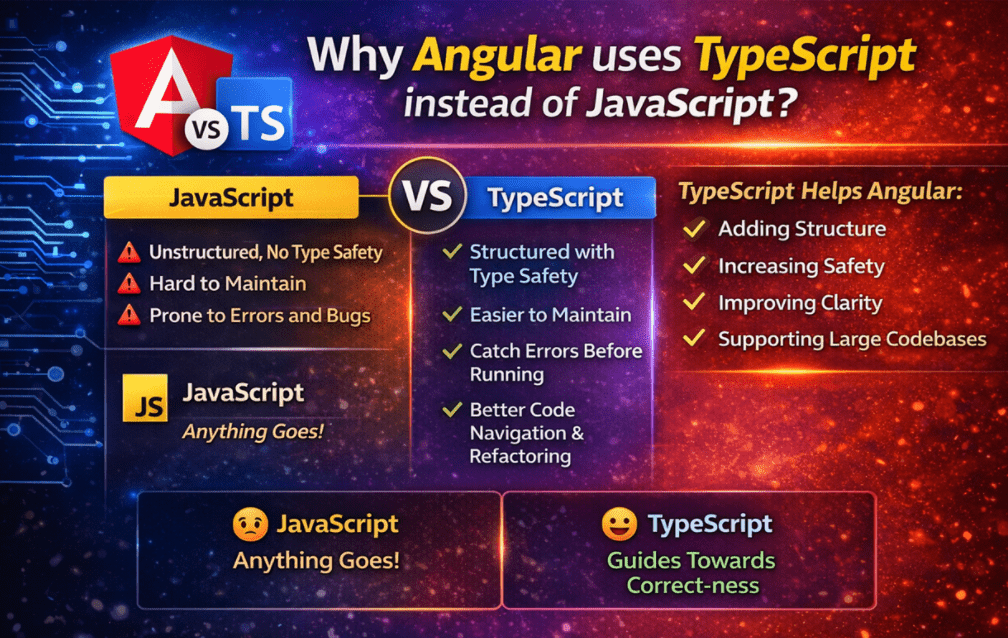
Angular uses TypeScript because it adds Structure, Safety, and Clarity on top of JavaScript. TypeScript helps Angular developers by:
- Catching Errors before the app runs
- Making code Self-Documenting
- Improving Editor Support (auto-complete, refactoring, navigation)
- Making large codebases Easier to understand and maintain
- Supporting Object-Oriented Patterns used heavily in Angular
In simple terms, JavaScript allows anything. TypeScript guides you toward correctness. This guidance becomes extremely valuable as Angular applications grow.
What Is TypeScript?
TypeScript is a strongly typed programming language built on JavaScript and developed and maintained by Microsoft. It extends JavaScript by adding features that help developers write safer, more maintainable, and more predictable code, especially for large applications. For a better understanding, please look at the image below:
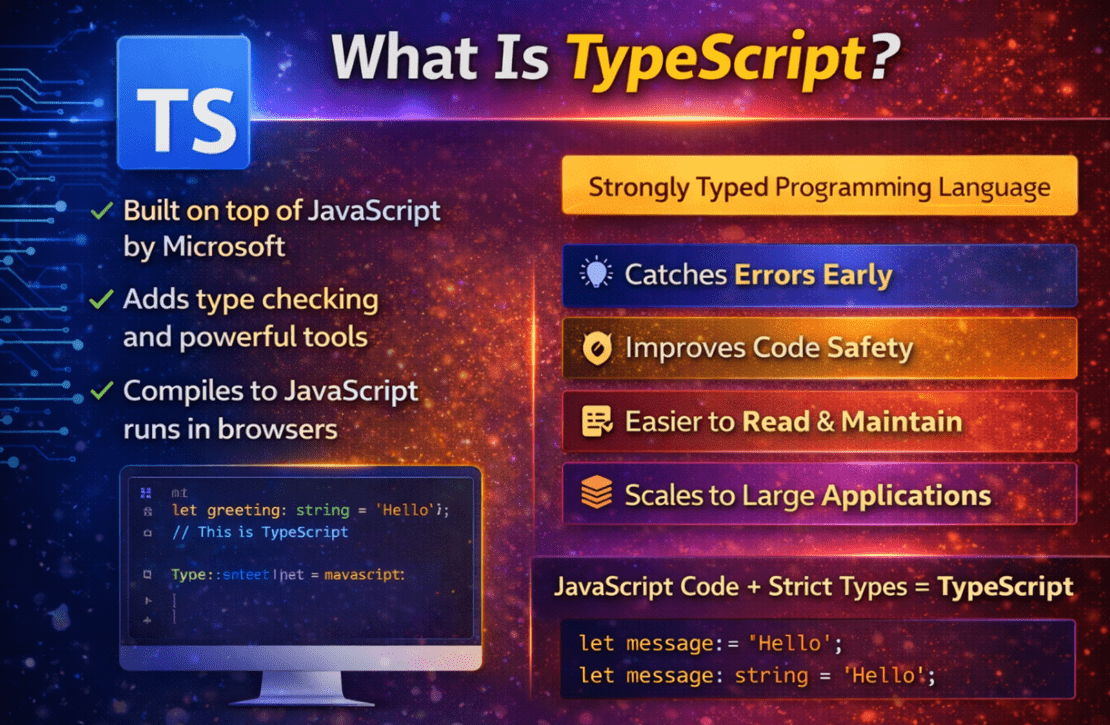
At its core:
- Every valid JavaScript program is also a valid TypeScript program.
- TypeScript adds type checking and design-time tooling to JavaScript.
- TypeScript code is compiled into plain JavaScript before execution.
Browsers do not understand TypeScript directly. During the build process (whether Angular or standalone), TypeScript is compiled to JavaScript, which browsers can execute.
Important Point: TypeScript exists for developers, not for browsers. It helps you catch problems while writing code, not after your application is running.
Why TypeScript Matters in Angular Projects?
In real-world Angular applications:
- Projects contain hundreds of components, services, and modules.
- Data flows through APIs, Forms, DTOs, and Models.
- Multiple Developers work on the same codebase.
- Code must remain understandable years after it was written.
Without a strict structure, JavaScript applications quickly become:
- Hard to maintain
- Error-prone
- Difficult to refactor
TypeScript Solves These Problems by Ensuring:
- Clear Data Shapes (what data looks like and what it contains)
- Early Error Detection during development
- Safe Refactoring with editor support
- Predictable behaviour across the application
That is why Angular enforces TypeScript by default. Angular is designed for Large-Scale, Long-Term Applications, and TypeScript is essential for that scale. For a better understanding, please look at the image below:

Why You Must Understand TypeScript Fundamentals Before Angular:
Angular is not just JavaScript with HTML templates. Angular heavily relies on TypeScript concepts internally. If you skip TypeScript fundamentals:
- Angular code feels confusing
- Errors seem cryptic
- Debugging becomes difficult
- Architecture concepts feel overwhelming
Angular Uses TypeScript Everywhere:
- Components and Services → Classes
- Dependency Injection → Constructors & Types
- Data binding → Interfaces & Models
- API calls → Typed Observables
- Configuration → Enums, Generics, and Decorators
Mandatory TypeScript Concepts You Must Understand First:
- Basic data types (number, string, boolean)
- Type inference
- Interfaces and type aliases
- Classes and constructors
- Access modifiers (public, private, protected)
- Functions and arrow functions
- Enums
- Arrays, tuples, and objects
- Generics (used heavily in Angular services)
Angular is easy only if TypeScript fundamentals are clear. Learning Angular without TypeScript is like building a house without understanding the foundation. For a better understanding, please look at the image below:
Create a Simple Application to Understand TypeScript in Visual Studio Code:
Before touching Angular, we should learn TypeScript independently. We will create a small application to help you understand all the fundamental concepts step by step.
Step 1: Install Required Tools
Install and verify Node.js.
We have already installed Node.js; you can verify the same using the commands:
- node -v
- npm -v
The steps are shown below:
Install TypeScript Compiler Globally
Open Command Prompt and run the following command:
- npm install -g typescript
Verify installation:
- tsc -v
The steps are shown below:
Step 2: Create a New TypeScript Project
First, open Visual Studio Code and then open the terminal window. In the terminal window, please execute the following commands:
Create a Folder:
mkdir D:\TypeScriptApp
Move to D:\TypeScriptApp Folder:
cd D:\TypeScriptApp
Open the folder in VS Code.
Now, please open the D:\TypeScriptApp in your Visual Studio Code.
Step 3: Initialize TypeScript Configuration
Now, in the terminal window, please execute the following command:
tsc –init
This creates:
- tsconfig.json
This file controls how TypeScript compiles your code. You don’t need to modify it now.
Step 4: Create a New File
- Right-click on TypeScriptApp
- Click the New File icon
- Name the file: index.ts
Make sure:
- File extension is .ts
- NOT .js
- NOT .txt
TypeScript Keywords and Their Usage
The following are the most commonly used keywords in TypeScript programming.
- Let: Used to declare a variable whose value can change later. It is block-scoped and preferred over var in modern TypeScript.
- Const: Used to declare a variable whose reference cannot be reassigned. The value itself may still change if it is an object or array.
- Type: Used to create a custom type alias. It helps describe the shape of data, especially for objects, unions, and intersections. It is very similar to anonymous types in C#.
- Interface: Defines a contract (structure) that an object must follow. Interfaces describe what an object should look like, not how it behaves.
- Function: Used to declare a reusable block of logic. TypeScript allows functions to have typed parameters and return types.
- Class: Defines a blueprint for creating objects that contain data (properties) and behaviour (methods).
- Constructor: A special method inside a class that runs automatically when an object is created. It is used to initialize class properties.
- New: Creates a new object (instance) from a class.
- Extends: Used in inheritance to create a child class from a parent class. The child automatically gets the parent’s properties and methods.
- Super: Used inside a child class constructor to call the parent class constructor.
- Enum: Defines a fixed set of named values. Used when a variable can only have a limited number of valid options.
- | (Union Operator): Allows a variable to hold one of multiple types.
- & (Intersection Operator): Combines multiple types into one, requiring all properties from all types.
- [] : Used to define array types. Example: string[] means an array of strings.
What Is a Data Type in TypeScript?
A data type describes what kind of value a variable is allowed to store. In TypeScript, every variable has a known type, which tells the compiler what that variable represents and how it can be used safely. For example:
- Is the value a number or text?
- Can it be empty?
- Can it change later?
- What operations are allowed on it?
TypeScript uses data types to understand your intention as a developer, not just the value itself.
Data Types in TypeScript
TypeScript introduces static typing, which means variables have known types. The most commonly used basic data types are:
- Number: Used to store numeric values such as age, price, quantity, salary, or calculation results.
- String: Used to store textual data such as names, usernames, emails, messages, or labels.
- Boolean: Used to store true/false values, mainly for conditions, flags, and decision-making logic.
- Any: Allows a variable to hold any type of value, effectively disabling type checking for that variable. Use any only when the type is completely unknown or dynamic (not recommended in Angular).
- Unknown: Similar to any, but safer, it forces you to check the type before using the value. Used when data comes from an external source and must be validated before use.
- Void: Represents the absence of a value and is mainly used as a function return type when nothing is returned. A function that only performs an action but returns nothing uses void.
- Null: Represents an intentional empty value, meaning “this variable has no value right now”.
- Undefined: Represents a variable that has been declared but not assigned any value. Indicates that a value has not been initialized yet.
Example to Understand Data Types Using TypeScript
Please copy-paste the following code to the index.ts file. The following code is self-explanatory; please read the comment lines for better understanding. Once you copy and paste the code, please save it before compiling.
/**
 * TypeScript Data Types
 * Goal: Understand what each data type means and why it helps you write safer code.
 * Note: Lines that cause compile-time errors are kept commented so you can test them one by one.
 */

// 1) number  -> used for calculations (price, age, quantity, etc.)
let price: number = 499.99;
let quantity: number = 2;

let totalAmount: number = price * quantity; // arithmetic is safe
console.log("Total Amount:", totalAmount);

// price = "500"; // Compile-time error: Type 'string' is not assignable to type 'number'

// 2) string -> text values (name, email, messages, labels)
let customerName: string = "Pranaya Rout";
let email: string = "pranaya@example.com";

console.log("Customer:", customerName.toUpperCase()); // string methods are available
console.log("Email:", email);

// email = 12345; // Compile-time error: Type 'number' is not assignable to type 'string'

// 3) boolean -> true/false flags (logged in?, active?, enabled?)
let isLoggedIn: boolean = true;
let isPremiumUser: boolean = false;

if (isLoggedIn) {
  console.log("User is logged in");
}
console.log("Premium User?", isPremiumUser);

// isLoggedIn = "yes"; // Compile-time error: Type 'string' is not assignable to type 'boolean'

// 4) Arrays -> list of same-type values (very common in Angular for API lists)
let cartItemPrices: number[] = [199.99, 299.5, 149];
let tags: string[] = ["Angular", "TypeScript", "WebAPI"];

console.log("Cart Prices:", cartItemPrices);
console.log("Tags:", tags.join(", "));

// cartItemPrices.push("300"); // Error: Argument of type 'string' is not assignable to parameter of type 'number'

// 5) null vs undefined (very important in Angular forms + API handling)
// null -> intentionally empty (you are setting it empty on purpose)
// undefined -> not assigned yet (value is missing/not initialized)
let selectedCoupon: string | null = null; // can be string OR null
let deliveryInstruction: string | undefined; // declared but not assigned => undefined

console.log("Selected Coupon:", selectedCoupon); // null
console.log("Delivery Instruction:", deliveryInstruction); // undefined

// Using them safely:
if (selectedCoupon === null) {
  console.log("No coupon applied yet.");
}

if (deliveryInstruction === undefined) {
  console.log("No delivery instruction provided yet.");
}

// 6) any -> allows ANY type (TypeScript stops protecting you) - NOT recommended in Angular
let dynamicValue: any = "100";

// TypeScript allows this, but it may crash at runtime depending on the value:
console.log("dynamicValue (any) as string:", dynamicValue.toUpperCase()); // works now

dynamicValue = 100;
// The next line compiles fine, but will crash at runtime because 100 has no toUpperCase()
// console.log(dynamicValue.toUpperCase()); // Runtime error if you uncomment

// 7) unknown -> safer than any (forces you to check type before use)
let apiResponse: unknown = "SUCCESS";

// console.log(apiResponse.toUpperCase()); // Error: Object is of type 'unknown'

// Safe usage with type check (type narrowing)
if (typeof apiResponse === "string") {
  console.log("API Response (string):", apiResponse.toUpperCase());
}

apiResponse = 200;

if (typeof apiResponse === "number") {
  console.log("API Response (number):", apiResponse.toFixed(2));
}
Compile the TypeScript File
Now that index.ts exists, compile it. So, execute the following command in Terminal.
- tsc index.ts
This will create: index.js
Run the Application
Execute the following command in the Terminal
- node index.js
Output:
What Is Type Inference in TypeScript?
Type Inference is a feature of TypeScript where the compiler automatically determines the data type of a variable based on the value assigned to it, even if you do not explicitly mention the type. In simple words, TypeScript “understands” the type by looking at the value. So, instead of you telling TypeScript this is a number, TypeScript figures it out on its own.
How Type Inference Works
When you declare a variable and assign a value at the same time, TypeScript examines the value and infers the type automatically. For example:
- Assign a number → inferred as number
- Assign text → inferred as string
- Assign true/false → inferred as boolean
Once inferred, the type is locked and cannot be changed.
Example to Understand Type Inference in TypeScript
Please copy-paste the following code to the index.ts file.
/**
 * TypeScript Type Inference
 * Type Inference means:
 *  - You don't always need to write the type.
 *  - TypeScript "figures out" the type from the assigned value.
 *  - After inference, TypeScript enforces that type strictly.
 */

console.log("=== Type Inference Demo ===");

// 1) Inference from initial value
let courseName = "TypeScript Fundamentals";
// TypeScript inferred: courseName is a string
// So now courseName behaves like a string everywhere.

console.log("Course Name (upper):", courseName.toUpperCase()); // string method allowed

// courseName = 123;
// Error (if you uncomment): Type 'number' is not assignable to type 'string'
// Because TypeScript already inferred courseName as string.

// 2) Inference from number calculation
let fee = 2000;
// inferred as number

let gst = fee * 0.18;
// inferred as number because it's a numeric calculation

let totalFee = fee + gst;
// inferred as number

console.log("Fee:", fee);
console.log("GST:", gst);
console.log("Total Fee:", totalFee);

// totalFee = "3000";
// Error (if you uncomment): Type 'string' is not assignable to type 'number'

// 3) Inference in arrays (very common in Angular)
let modules = ["Intro", "TypeScript", "Angular Basics"];
// inferred type: string[] (array of strings)
// So TypeScript allows only strings in this array.

modules.push("Routing");  // allowed (string)

// modules.push(100);
// Error (if you uncomment): Argument of type 'number' is not assignable to parameter of type 'string'

console.log("=== End ===");
Output:
What Is an Interface in TypeScript?
An interface in TypeScript is a Blueprint (Or Contract) that defines the structure of an object, that is, what properties it must have and what types those properties should be. An interface does not contain values or logic. It only describes how an object should look. In simple words: An interface tells TypeScript, “Any object of this type must follow this shape.”
Why Do We Need Interfaces in TypeScript?
In real Angular applications, we work heavily with objects, especially:
- API responses
- Request payloads (DTOs)
- Form data
- Component state
- Configuration objects
Without interfaces, objects can:
- Miss required properties
- Contains wrong data types
- Break code silently at runtime
Interfaces solve this problem by adding structure and safety.
Example to Understand Interfaces in TypeScript
Please copy-paste the following code to the index.ts file.
/**
 * TypeScript Interface
 * Interface = a "contract" that defines the exact SHAPE of an object.
 * It tells TypeScript:
 *   - which properties must exist
 *   - what type each property should be
 *   - which properties are optional
 *
 * In Angular, interfaces are commonly used for:
 *   - API response models (DTOs)
 *   - Component input models
 *   - Service method return types
 */

console.log("=== Interface Demo ===");

// 1) Define an interface (a contract for object shape)
interface IUser {
  id: number;          // required property
  name: string;        // required property
  email: string;       // required property
  isActive?: boolean;  // optional property (may or may not come from API)
}

// 2) Create an object that MUST match the interface shape
// We are NOT creating an object of the interface
// We are creating plain JavaScript objects that are checked against the interface
// It means: Create a normal JavaScript object, and tell TypeScript to VERIFY that it matches IUser
const user1: IUser = {
  id: 101,
  name: "Pranaya Rout",
  email: "pranaya@example.com"
  // isActive is optional, so we can skip it
};

const user2: IUser = {
  id: 102,
  name: "Ravi",
  email: "ravi@example.com",
  isActive: true
};

console.log("User1:", user1);
console.log("User2:", user2);

// user1.id = "103";
// Compile-time error if uncommented: Type 'string' is not assignable to type 'number'

// 3) Interface for list/array of objects (very common in Angular)
const users: IUser[] = [user1, user2];
console.log("Total Users:", users.length);

// users.push({ id: 103, name: "A", email: 123 });
// Error if uncommented: Type 'number' is not assignable to type 'string' (email must be string)

console.log("=== End ===");
Output:
What Are Functions in TypeScript?
A function is a reusable block of code that performs a specific task and can be executed whenever needed. Instead of repeating the same logic over and over, we place it in a function and call it whenever required. In TypeScript, functions work just like JavaScript functions, but with an important difference: TypeScript allows functions to be strongly typed. This means:
- Function parameters can have types
- Function return values can have types
- TypeScript checks correctness before the code runs
Why Do We Need Functions in TypeScript?
Functions are essential because real applications are made of logic, not just values. In Angular applications, functions are used everywhere:
- Handling user actions (button clicks, form submissions)
- Processing data
- Calling APIs
- Validating input
- Performing calculations
- Sharing reusable logic across components and services
Without functions:
- Code becomes repetitive
- Logic becomes hard to maintain
- Applications become difficult to extend
Example to Understand Functions in TypeScript
Please copy-paste the following code to the index.ts file.
/**
 * TypeScript Functions
 * Goal: Understand function concepts in TypeScript:
 *  1) Parameter types
 *  2) Optional parameter (?)
 *  3) Default parameter
 *  4) Return type
 *  5) void return type
 */

console.log("=== Functions Demo ===");

/**
 * Calculates the final payable amount.
 * @param amount       -> required parameter (must be number)
 * @param discountPct  -> optional parameter (may be provided or not)
 * @param gstPct       -> default parameter (if not passed, 18 is used)
 * @returns number     -> function returns a number
 */

function calculatePayableAmount(
  amount: number,
  discountPct?: number,     // optional parameter (can be undefined)
  gstPct: number = 18       // default parameter (used when caller doesn't pass it)
): number {
  // If discountPct is not provided, treat it as 0
  const discount = amount * ((discountPct ?? 0) / 100);

  // Apply discount first
  const amountAfterDiscount = amount - discount;

  // Apply GST on discounted amount
  const gst = amountAfterDiscount * (gstPct / 100);

  // Final payable amount
  return amountAfterDiscount + gst;
}

// Call #1: Only required argument (discountPct not given, gstPct uses default 18)
const bill1 = calculatePayableAmount(2000);
console.log("Bill1 (no discount, default GST 18%):", bill1);

// Call #2: Discount given, GST uses default
const bill2 = calculatePayableAmount(2000, 10);
console.log("Bill2 (10% discount, default GST 18%):", bill2);

// Call #3: Discount and custom GST given
const bill3 = calculatePayableAmount(2000, 10, 5);
console.log("Bill3 (10% discount, GST 5%):", bill3);

// calculatePayableAmount("2000");
// Compile-time error if uncommented: Argument of type 'string' is not assignable to parameter of type 'number'

/**
 * A void function: returns nothing.
 * Common in Angular for logging, button click handlers, etc.
 */
function printInvoiceMessage(customerName: string): void {
  console.log(`Invoice generated for: ${customerName}`);
  // no return statement needed because return type is void
}

printInvoiceMessage("Pranaya Rout");

console.log("=== End ===");
Output:
What Are Classes in TypeScript?
A class in TypeScript is a blueprint for creating objects that combine data (properties) and behaviour (methods) into a single structured unit. Instead of working with scattered variables and functions, a class allows you to:
- Group related data together
- Define how that data should behave
- Create multiple objects with the same structure and behaviour
In simple words: A class represents a real-world entity in code.
Why Do We Need Classes in TypeScript?
Classes are essential because real applications, especially Angular applications, are built using object-oriented design. In Angular:
- Components are classes
- Services are classes
- Guards are classes
- Interceptors are classes
- Pipes are classes
Without classes, Angular’s architecture would not be possible.
Example to Understand Classes in TypeScript
Please copy-paste the following code to the index.ts file.
/**
 * TypeScript Classes
 * Goal: Understand class concepts in TypeScript:
 *  1) Class + Object creation (new)
 *  2) Constructor (initialization)
 *  3) Properties (data)
 *  4) Methods (behavior)
 *  5) Access modifiers: public, private, readonly
 *  6) Getter method (to safely expose private data)
 */

console.log("=== Classes Demo ===");

/**
 * A class is a blueprint to create objects.
 * In Angular, you often use classes for:
 * - Models (sometimes)
 * - Utility/Helper classes
 * - And Angular itself uses classes for Components/Services internally
 */
class BankAccount {
  // public: accessible from outside (default is public if not mentioned)
  public accountHolderName: string;

  // readonly: can be set only once (usually in constructor) and cannot be changed later
  public readonly accountNumber: string;

  // private: accessible ONLY inside the class
  private balance: number;

  constructor(accountHolderName: string, accountNumber: string, openingBalance: number) {
    // Initialize class properties when object is created
    this.accountHolderName = accountHolderName;
    this.accountNumber = accountNumber;
    this.balance = openingBalance;
  }

  // public method: can be called from outside
  public deposit(amount: number): void {
    if (amount <= 0) {
      console.log("Deposit amount must be greater than 0");
      return;
    }

    this.balance += amount;
    console.log(`Deposited: ${amount}. New Balance: ${this.balance}`);
  }

  // public method: can be called from outside
  public withdraw(amount: number): void {
    if (amount <= 0) {
      console.log("Withdraw amount must be greater than 0");
      return;
    }

    if (amount > this.balance) {
      console.log("Insufficient balance!");
      return;
    }

    this.balance -= amount;
    console.log(`Withdrawn: ${amount}. New Balance: ${this.balance}`);
  }

  // Getter method: a safe way to read private balance without exposing it directly
  public getBalance(): number {
    return this.balance;
  }
}

// Create an object (instance) of the class using "new"
const account1 = new BankAccount("Pranaya Rout", "ACC-1001", 5000);

console.log("Account Holder:", account1.accountHolderName); // public property access
console.log("Account Number:", account1.accountNumber);     // readonly property access

// account1.accountNumber = "ACC-9999";
// Compile-time error if uncommented: Cannot assign to 'accountNumber' because it is a read-only property

// account1.balance = 10000;
// Compile-time error if uncommented: Property 'balance' is private and only accessible within class 'BankAccount'

// Call methods (behavior)
account1.deposit(2000);
account1.withdraw(1000);

// Access private balance through a public method (getter)
console.log("Final Balance:", account1.getBalance());

console.log("=== End ===");
Output:
What are the differences between a class and an interface in TypeScript?
What a Class is
A class is a blueprint to create objects. It can contain:
- Properties (data)
- Methods (behaviour)
- A Constructor (initialization)
- Runtime code (it becomes JavaScript after compilation)
You can do:
- Create objects with new
- Store logic inside it
What an Interface is
An interface is a contract (shape) that tells TypeScript what an object should look like:
- Which properties must exist
- Method signatures (only declarations)
Note: Interfaces are compile-time only (they disappear after compilation). They do not create objects and do not contain implementation.
Key differences
Runtime vs compile-time
- Class exists at runtime (compiled JS has the class/function).
- Interface exists only at compile time (removed in JS).
Can you create an object?
- Class: Yes, new ClassName()
- Interface: No, you can’t do a new InterfaceName()
Implementation
- Class: can implement methods with full code.
- Interface: only defines method signatures, no body.
Constructors
- Class: has constructors
- Interface: no constructors
Reuse / Relationships
- Class:
- can extend another class (extends)
- can implement interfaces (implements)
- Interface:
- can extend other interfaces (extends)
- cannot implement a class
Typical Angular usage
- Interfaces: Best for DTOs / API Models / Form Models (pure shape).
- Classes: Best when you need Behaviour/Logic, like helpers, services, or rich domain models.
Simple Rule
- Use an interface when you only need a data shape.
- Use Class when you need data + behaviour (methods/logic).
What Is Inheritance in TypeScript?
Inheritance is an object-oriented concept where one class (child or derived class) reuses and extends the properties and methods of another class (parent or base class). Instead of writing the same code over and over, a child class can inherit the behavior from a parent class and add its own specific functionality. In simple words, Inheritance allows one class to build on top of another class.
Why Do We Need Inheritance in TypeScript?
In real applications, many entities share common characteristics. Inheritance helps represent these relationships cleanly and logically.
Without inheritance:
- Code gets duplicated
- Changes must be made in many places
- Bugs become harder to manage
Inheritance allows you to:
- Reuse common logic
- Avoid duplication
- Maintain consistency
- Model real-world “is-a” relationships
Example to Understand Inheritance in TypeScript
Please copy-paste the following code to the index.ts file.
/**
 * TypeScript Inheritance
 * Goal: Understand inheritance concepts:
 *  1) Base class (Parent) and Derived class (Child)
 *  2) "extends" keyword
 *  3) Calling parent constructor using "super(...)"
 *  4) Inheriting parent properties/methods
 *  5) Method overriding (child changes parent behavior)
 */

console.log("=== Inheritance Demo ===");

// Step 1: Base (Parent) Class
// Represents common data and behavior for ALL users
class User {

  public userId: number;
  public name: string;
  public email: string;

  constructor(userId: number, name: string, email: string) {
    this.userId = userId;
    this.name = name;
    this.email = email;
  }

  // Common behavior shared by all users
  getUserSummary(): string {
    return `${this.name} (${this.email})`;
  }
}

// Step 2: Derived (Child) Class
// AdminUser IS-A User, but with extra responsibilities
class AdminUser extends User {

  public adminLevel: number;

  constructor( userId: number,  name: string,  email: string,  adminLevel: number)
  {
    // Call parent constructor to initialize common fields
    super(userId, name, email);

    // Initialize admin-specific data
    this.adminLevel = adminLevel;
  }

  // Admin-specific behavior
  getAdminAccessInfo(): string {
    return `Admin Level: ${this.adminLevel}`;
  }
}

// Step 3: Create an Admin user object
const admin = new AdminUser(
  1,
  "Pranaya Rout",
  "pranaya@company.com",
  5
);

// Step 4: Use inherited + child behavior
console.log(admin.getUserSummary());      // inherited from AppUser
console.log(admin.getAdminAccessInfo());  // specific to AdminUser
Output:
Important Rules About Inheritance
- A child class can access:
-
- public members of the parent
- protected members of the parent
-
- A child class cannot access private members
- TypeScript supports single inheritance (one parent class)
What Is Composition in TypeScript?
Composition is an object-oriented design principle in which a class uses other classes as properties rather than inheriting from them. In composition:
- One class contains another class
- Functionality is achieved by delegation, not inheritance
In simple words, Composition means “has-a” relationship, not “is-a”.
Why Do We Need Composition in TypeScript?
While inheritance allows code reuse, it can create tight coupling between classes. As applications grow, this tight coupling becomes hard to manage and risky to change. Composition solves this by:
- Making classes more flexible
- Reducing dependency between classes
- Allowing behaviour to be swapped or changed easily
This is why modern TypeScript and Angular strongly prefer composition over inheritance.
Example to Understand Composition in TypeScript
Please copy-paste the following code to the index.ts file.
/**
 * TypeScript Composition
 * Composition means: "Build a class by USING other objects (has-a relationship)"
 * instead of inheriting from another class (is-a relationship).
 *
 * Real-time scenario (very common in Angular apps):
 * A service needs:
 *   - Logger (to log messages)
 *   - ApiClient (to call APIs)
 *
 * Instead of making the service "extend" Logger/ApiClient (inheritance),
 * we COMPOSE the service by injecting/using them as dependencies.
 *
 * This example focuses ONLY on composition concepts:
 *  1) Separate small classes with single responsibility
 *  2) A bigger class "has" those classes (composition)
 *  3) The bigger class delegates work to them
 */

console.log("=== Composition Demo ===");

/**
 * Small class #1: Logger
 * Responsibility: Logging messages
 */
class Logger {
  public info(message: string): void {
    console.log(`[INFO] ${message}`);
  }

  public error(message: string): void {
    console.log(`[ERROR] ${message}`);
  }
}

/**
 * Small class #2: ApiClient
 * Responsibility: Simulate an API call
 * (In Angular, HttpClient plays this role)
 */
class ApiClient {
  public get(url: string): string {
    // Simulating an API response (for learning purpose)
    return `Dummy response from GET ${url}`;
  }
}

/**
 * Bigger class: UserService
 * Composition:
 *  - UserService HAS a Logger
 *  - UserService HAS an ApiClient
 *
 * It uses these objects to do its job.
 * This is "composition" (has-a), not inheritance (is-a).
 */
class UserService {

// Composition: other services are used as properties
  private logger: Logger;
  private apiClient: ApiClient;

  constructor() {
    // Create instances of dependent classes
    this.logger = new Logger();
    this.apiClient = new ApiClient();
  }

  public getUserById(userId: number): void {
    this.logger.info(`Fetching user with Id = ${userId}`);

    const response = this.apiClient.get(`/api/users/${userId}`);

    this.logger.info(`API Response: ${response}`);
  }
}

// Compose UserService using those objects
const userService = new UserService();

// Use the composed service
userService.getUserById(101);

console.log("=== End ===");
Output:
Rule to remember
- Use backticks when you want to insert variables inside a string:
-
- `Hello ${name}`
-
- Use ” “ or ‘ ‘ for normal fixed strings:
-
- “Hello world”
-
In Angular/TypeScript projects, you’ll use template literals a lot for building URLs, messages, and dynamic text.
What Are Generics in TypeScript?
Generics allow you to write reusable, type-safe code where the exact data type is determined at runtime. Instead of fixing a type like number or string, generics use a type placeholder (commonly T) that represents any type. In simple words: Generics let you write logic once and use it safely with different data types.
Why Do We Need Generics in TypeScript?
In real applications (especially Angular applications), the same logic is often needed for different types of data.
For example:
- Fetching users, products, or orders
- Handling API responses
- Writing utility functions
- Managing collections
Without generics, you would either:
- Duplicate code for each type, or
- Use any and lose type safety
Generics solve this problem without sacrificing safety.
Example to Understand Generics in TypeScript
Please copy-paste the following code to the index.ts file.
/**
 * TypeScript Generics
 * Real-time Angular-style scenario:
 * When you call an API, the "wrapper" response format is usually the same:
 *   { isSuccess, message, data }
 *
 * But the type of "data" changes:
 *   - Login API returns: LoginData
 *   - Products API returns: Product[]
 *   - Profile API returns: UserProfile
 *
 * Generics solve this by letting you write ONE reusable type/class/function
 * that works with different data types safely.
 *
 * This example focuses ONLY on Generics:
 *  1) Generic interface ApiResponse<T>
 *  2) T represents "data type" decided at usage time
 *  3) Strong typing for different API responses without repeating code
 */

console.log("=== Generics Demo ===");

// 1) Generic interface: T will be replaced by actual type when we use it
interface ApiResponse<T> {
  isSuccess: boolean;
  message: string;
  data: T; // data can be ANY type, but strongly typed based on T
}

// 2) Example #1: Login API "data" shape
type LoginData = {
  token: string;
  userName: string;
};

// ApiResponse<LoginData> means: data must be LoginData
const loginResponse: ApiResponse<LoginData> = {
  isSuccess: true,
  message: "Login successful",
  data: {
    token: "JWT_TOKEN_ABC123",
    userName: "Pranaya"
  }
};

console.log("Login Message:", loginResponse.message);
console.log("Token:", loginResponse.data.token);         // strongly typed
console.log("UserName:", loginResponse.data.userName);   // strongly typed

// loginResponse.data.token = 123;
// Error if uncommented: Type 'number' is not assignable to type 'string'

// 3) Example #2: Products API "data" is a list of products
type Product = {
  id: number;
  name: string;
  price: number;
};

// ApiResponse<Product[]> means: data must be an array of Product
const productsResponse: ApiResponse<Product[]> = {
  isSuccess: true,
  message: "Products fetched",
  data: [
    { id: 1, name: "Mouse", price: 499 },
    { id: 2, name: "Keyboard", price: 999 }
  ]
};

console.log("Products Message:", productsResponse.message);

// Because data is Product[], TypeScript knows each item is Product
productsResponse.data.forEach((p) => {
  console.log(`Product: ${p.name} | Price: ${p.price}`);
});

// productsResponse.data.push({ id: 3, name: "Monitor" });
// Error if uncommented: Property 'price' is missing in type ...

console.log("=== End ===");
Output:
What Are Enums in TypeScript?
An Enum (Enumeration) is a special TypeScript feature used to define a fixed set of named values. Instead of using raw numbers or strings repeatedly, enums give those values meaningful names. In simple words, Enums allow us to represent a limited set of possible values in a safe and readable way.
Why Do We Need Enums in TypeScript?
In real applications, many values come from a known and limited set, such as:
- User roles (Admin, User, Guest)
- Status values (Pending, Approved, Rejected)
- Application states (Loading, Success, Error)
Without enums, developers often use:
- Magic numbers
- Hard-coded strings
This leads to:
- Typos
- Inconsistent values
- Hard-to-maintain code
Enums solve this by centralizing and restricting allowed values.
Example to Understand Enum in TypeScript
Please copy-paste the following code to the index.ts file.
/**
 * TypeScript Enums
 * Real-time Angular-style scenario:
 * In apps, you often deal with "fixed set of allowed values" like:
 *   - OrderStatus: Pending, Paid, Shipped, Delivered, Cancelled
 *
 * If you use plain strings, typos can silently break logic:
 *   "Delevered" vs "Delivered"  (bug!)
 *
 * Enums solve this by:
 *   restricting values to a known set
 *   improving readability
 *   giving IntelliSense + refactor safety
 *
 * This example focuses ONLY on Enums:
 *  1) Creating an enum
 *  2) Using enum values instead of strings
 *  3) Using enum in a function and switch-case
 */

console.log("=== Enums Demo ===");

// 1) Enum: fixed set of allowed values
enum OrderStatus {
  Pending = "Pending",
  Paid = "Paid",
  Shipped = "Shipped",
  Delivered = "Delivered",
  Cancelled = "Cancelled"
}

// 2) A real-world "Order" object using the enum type
type Order = {
  orderId: number;
  customerName: string;
  status: OrderStatus; // status can ONLY be one of the enum values
};

// Create an order with a valid enum value
const order1: Order = {
  orderId: 1001,
  customerName: "Pranaya",
  status: OrderStatus.Paid
};

console.log("Order:", order1);

// order1.status = "Delivered";
// Error if uncommented: Type '"Delivered"' is not assignable to type 'OrderStatus'
// (You must use OrderStatus.Delivered)

// 3) Function that behaves based on enum values (very common in UI logic)
function getOrderMessage(status: OrderStatus): string {
  // switch works perfectly with enums and makes logic clean and readable
  switch (status) {
    case OrderStatus.Pending:
      return "Your order is placed and waiting for payment.";
    case OrderStatus.Paid:
      return "Payment received. We will ship your order soon.";
    case OrderStatus.Shipped:
      return "Your order has been shipped.";
    case OrderStatus.Delivered:
      return "Order delivered successfully";
    case OrderStatus.Cancelled:
      return "Order was cancelled";
  }
}

console.log("Message:", getOrderMessage(order1.status));

// Update using enum (safe, no typo risk)
order1.status = OrderStatus.Delivered;
console.log("Updated Status:", order1.status);
console.log("Updated Message:", getOrderMessage(order1.status));

console.log("=== End ===");
Output:
What Are Tuples in TypeScript?
A Tuple is a special type of array in TypeScript where:
- The number of elements is fixed
- The type of each element is fixed and ordered
Unlike normal arrays (where all elements are usually of the same type), tuples allow you to store multiple values of different types in a specific sequence. In simple words, A tuple represents a fixed-structure group of values.
Why Do We Need Tuples in TypeScript?
In real applications, sometimes data is:
- Naturally grouped
- Small and fixed in size
- Order-dependent
Using objects for such simple data can feel heavy, while using normal arrays loses type safety. Tuples solve this by:
- Keeping data lightweight (like arrays)
- Maintaining strict type safety (like objects)
Example to Understand Tuples in TypeScript
Please copy-paste the following code to the index.ts file.
/**
 * TypeScript Tuples
 * Tuple = an array with a FIXED length and FIXED types at each position.
 *
 * Real-time Angular-style scenario:
 * When you show a dropdown / list in UI, you often store each item as:
 *   [id, displayText]
 *
 * Example:
 *   [101, "Angular Basics"]
 *   [102, "TypeScript Fundamentals"]
 *
 * This example focuses ONLY on Tuple concepts:
 *  1) Defining a tuple type
 *  2) Creating tuple values
 *  3) Using tuples in an array (list of tuples)
 *  4) Why tuples prevent bugs
 */

console.log("=== Tuples Demo ===");

// 1) Define a tuple type: [number, string]
// Meaning: position 0 must be number, position 1 must be string
type CourseItem = [number, string];

// 2) Create tuples (each tuple must follow the exact order)
const course1: CourseItem = [101, "TypeScript Fundamentals"]; // correct
const course2: CourseItem = [102, "Angular Basics"];          // correct

console.log("Course1:", course1);
console.log("Course2:", course2);

// const wrongCourse: CourseItem = ["Angular Basics", 103];
// Error if uncommented: Type 'string' is not assignable to type 'number'
// because tuple order matters: [number, string]

// 3) Real usage: list of courses for UI dropdown
const courseDropdown: CourseItem[] = [
  [201, "RxJS Essentials"],
  [202, "Angular Forms"],
  [203, "Angular Routing"]
];

// 4) Using tuple values safely (destructuring is very common)
courseDropdown.forEach(([id, title]) => {
  // id is number, title is string (TypeScript guarantees this)
  console.log(`Dropdown Item -> Id: ${id}, Title: ${title}`);
});

// 5) Why tuple helps: you can safely access by position
const selectedCourse: CourseItem = [301, "Angular HTTP Client"];

const selectedId = selectedCourse[0];    // number
const selectedTitle = selectedCourse[1]; // string

console.log("Selected Id:", selectedId);
console.log("Selected Title:", selectedTitle);

console.log("=== End ===");
Output:
What Is a Union Type in TypeScript?
A Union Type allows a variable, parameter, or return value to hold one of multiple specified types. Instead of restricting a value to a single type, union types let you say: This value can be this OR that. Union types are created using the | (pipe) symbol. In simple words, A union type represents multiple possible types for a value.
Why Do We Need Union Types in TypeScript?
In real applications, especially Angular applications, data is not always of a single fixed type.
Examples:
- API responses that can be successful or an error
- Form fields that can be empty or filled
- Status values with limited options
- Functions that accept different input types
Without union types:
- Developers use any
- Type safety is lost
- Bugs appear at runtime
Union types provide flexibility without losing safety.
Example to Understand Union Types in TypeScript
Please copy-paste the following code to the index.ts file.
/**
 * TypeScript Union Types
 * Union type means: a variable can hold ONE of multiple allowed types.
 * Example: string | null  => value can be a string OR null
 *
 * Real-time Angular-style scenario:
 * In Angular forms, a value is often:
 *   - present (string)
 *   - or not selected yet (null)
 *
 * Example: Coupon code field:
 *   - user enters: "SAVE10"   (string)
 *   - user leaves it empty:   null
 *
 * This example focuses ONLY on Union concepts:
 *  1) Creating a union type
 *  2) Assigning allowed values
 *  3) Type narrowing using if-check (so you can safely use the value)
 */

console.log("=== Union Types Demo ===");

// 1) Union type: coupon can be either a string OR null
let couponCode: string | null = null; // allowed (null is part of union)

console.log("Initial Coupon:", couponCode);

// couponCode = 100;
// Error if uncommented: Type 'number' is not assignable to type 'string | null'

// 2) Later user enters a coupon
couponCode = "SAVE10"; // allowed (string is part of union)
console.log("Entered Coupon:", couponCode);

// 3) Real-time use: apply coupon only if it's a string (type narrowing)
function applyCouponIfAvailable(code: string | null): void {
  // This check "narrows" the union:
  // Inside this if-block, TypeScript knows code is definitely a string.
  if (code !== null) {
    console.log(`Applying coupon: ${code.toUpperCase()}`);
    return;
  }

  // Here TypeScript knows code is null
  console.log("No coupon applied (user did not enter any).");
}

applyCouponIfAvailable(couponCode);

// 4) User clears the field (very common in forms)
couponCode = null;
applyCouponIfAvailable(couponCode);

console.log("=== End ===");
Output:
What Is an Intersection in TypeScript?
An Intersection allows you to combine multiple types into a single type. The value of an intersection type must satisfy all the combined types at the same time. Intersection types are created using the & (ampersand) symbol. In simple words: An intersection type represents “this AND that” together.
Why Do We Need Intersection in TypeScript?
In real applications—especially Angular applications—you often need to:
- Combine properties from multiple sources
- Build richer data models
- Extend functionality without inheritance
Intersection types allow you to compose types cleanly without duplicating code.
Example to Understand Intersection in TypeScript
Please copy-paste the following code to the index.ts file.
/**
 * TypeScript Intersection Types
 * Intersection type means: combine multiple types into ONE.
 *   A & B  => the final type must have ALL properties of A AND ALL properties of B
 *
 * Real-time Angular-style scenario:
 * In many apps, you have:
 *  1) Base audit fields for every record (createdBy, createdOn)
 *  2) Entity-specific fields (product fields, user fields, etc.)
 *
 * Instead of repeating audit fields in every model, we combine them using Intersection.
 *
 * This example focuses ONLY on Intersection concepts:
 *  1) Create two separate types
 *  2) Combine them using &
 *  3) Use the final type (must satisfy both)
 */

console.log("=== Intersection Types Demo ===");

// 1) Common audit fields (shared across many entities)
type AuditInfo = {
  createdBy: string;
  createdOn: Date;
};

// 2) Product-specific fields
type ProductInfo = {
  id: number;
  name: string;
  price: number;
};

// 3) Intersection: ProductWithAudit must contain ALL fields from ProductInfo AND AuditInfo
type ProductWithAudit = ProductInfo & AuditInfo;

// Valid object: has product fields + audit fields
const product: ProductWithAudit = {
  id: 101,
  name: "Angular Course",
  price: 1999,
  createdBy: "Admin",
  createdOn: new Date()
};

console.log("Product:", product);
console.log("Product Name:", product.name);
console.log("Created By:", product.createdBy);

// const invalidProduct: ProductWithAudit = {
//   id: 102,
//   name: "TypeScript Course",
//   price: 1499
// };
// Error if uncommented: missing createdBy and createdOn (because intersection requires ALL fields)

console.log("=== End ===");
Output:
Conditional and Looping Statements in TypeScript
In real applications, code is not executed line by line without thinking. Programs must make decisions and repeat actions based on conditions and data. Like JavaScript, TypeScript provides conditional and looping statements to control the flow of execution. TypeScript adds type safety on top of these constructs, ensuring that conditions and loop variables are used correctly.
Conditional Statements (Decision Making) in TypeScript
Conditional statements let your program choose different paths based on a condition (true/false). In real applications (including Angular), you constantly make decisions like:
- If the user is logged in → show dashboard, else → show login page
- If API response is successful → display data, else → show error
- If form input is valid → submit, else → show validation messages
Common conditional statements:
- if: runs code when the condition is true
- if…else: choose between two paths
- else if: check multiple conditions
- switch: cleaner choice when you compare one value against many options
Why it matters: It makes your code responsive to different real-time situations instead of always doing the same thing.
Example to Understand Conditional Statements in TypeScript
Please copy-paste the following code to the index.ts file.
/**
 * TypeScript Conditional Statements
 * Goal: Understand  conditional statements:
 *   1) if
 *   2) if...else
 *   3) else if
 *   4) switch
 *
 * Real-time Angular-style scenario:
 * You call a Login API and get a response.
 * Based on the response, your app decides what to do:
 *   - show success message + redirect
 *   - show invalid credentials
 *   - show locked account message
 */

console.log("=== Conditional Statements Demo ===");

// Simulating a response from an API (common in Angular apps)
type AuthLoginStatus  = "SUCCESS" | "INVALID_CREDENTIALS" | "ACCOUNT_LOCKED";

type LoginResponse = {
  status: AuthLoginStatus ;
  message: string;
  remainingAttempts?: number; // only present when credentials are invalid
};

// Change this object value to test different conditions
const response: LoginResponse = {
  status: "INVALID_CREDENTIALS",
  message: "Username or password is wrong",
  remainingAttempts: 2
};

// 1) if statement
// If user is successfully logged in, do success flow
if (response.status === "SUCCESS") {
  console.log("Login successful!");
  console.log("Redirect to Dashboard...");
}

// 2) if...else + 3) else if
// Handle multiple outcomes
if (response.status === "SUCCESS") {
  console.log("Welcome! Redirecting...");
} else if (response.status === "INVALID_CREDENTIALS") {
  console.log("Invalid credentials!");

  // remainingAttempts is optional, so we must check before using it
  if (response.remainingAttempts !== undefined) {
    console.log(`Attempts left: ${response.remainingAttempts}`);
  }
} else {
  // If it's not SUCCESS and not INVALID_CREDENTIALS, it must be ACCOUNT_LOCKED
  console.log("Account locked!");
  console.log("Please contact support.");
}

// 4) switch statement
// switch is cleaner when comparing ONE value against MANY fixed options
switch (response.status) {
  case "SUCCESS":
    console.log("Switch: Show dashboard page");
    break;

  case "INVALID_CREDENTIALS":
    console.log("Switch: Show invalid login error message");
    break;

  case "ACCOUNT_LOCKED":
    console.log("Switch: Show locked account message");
    break;
}

console.log("=== End ===");
Output:
Looping Statements (Repetition) in TypeScript
Loops let your program repeat work without having to write the same code again. In real projects, you often loop through:
- API data arrays (products, users, orders)
- form fields/validation errors
- table rows
- logs and reports
Common loops:
- for: when you need index-based looping
- for…of: best for iterating arrays (very common in TypeScript/Angular)
- for…in: used for iterating object keys (less common for arrays)
- while: repeat until a condition becomes false
Why it matters: loops make code shorter, more maintainable, and more scalable when handling lists.
Example to Understand Looping Statements in TypeScript
Please copy-paste the following code to the index.ts file.
/**
 * TypeScript Looping Statements
 * Goal: Understand looping statements:
 *   1) for      (index-based looping)
 *   2) for...of (best for arrays - very common in Angular)
 *   3) for...in (for object keys)
 *   4) while    (repeat until condition becomes false)
 *
 * Real-time Angular-style scenario:
 * Imagine you fetched a list of products from an API.
 * You want to:
 *   - loop through products and print them
 *   - calculate total value
 *   - loop through object properties (product details)
 *   - simulate retry attempts using while loop
 */

console.log("=== Looping Statements Demo ===");

// A simple Product type to keep the data readable
type Product = {
  id: number;
  name: string;
  price: number;
};

// Simulated API response (array of products)
const products: Product[] = [
  { id: 1, name: "Mouse", price: 499 },
  { id: 2, name: "Keyboard", price: 999 },
  { id: 3, name: "Monitor", price: 6999 }
];

// 1) for loop (index-based)
// Useful when you need the index number
for (let i = 0; i < products.length; i++) {
  const item = products[i];
  if (!item)
    continue;
  console.log(`Index: ${i} -> ${item.name} (${item.price})`);
}

// 2) for...of loop (best for arrays)
// Most commonly used in TypeScript/Angular for arrays
console.log("\n2) for...of loop (array values):");
let totalValue = 0;

for (const p of products) {
  console.log(`Product: ${p.name}, Price: ${p.price}`);
  totalValue += p.price; // calculate total value
}

console.log("Total Value:", totalValue);

// 3) for...in loop (object keys)
// Use for...in when you want to loop through keys of an object
console.log("\n3) for...in loop (object keys):");

const selectedProduct: Product = { id: 10, name: "Laptop", price: 55000 };

// for...in gives keys as strings: "id", "name", "price"
for (const key in selectedProduct) {
  // key is a property name, so we access value using bracket notation
  const value = selectedProduct[key as keyof Product];
  console.log(`${key} : ${value}`);
}

// Note: Avoid using for...in for arrays (it iterates keys/indexes, not values)

// 4) while loop (repeat until condition becomes false)
// Real-time usage: retry mechanism (very common in API calls)
console.log("\n4) while loop (retry simulation):");

let attempt = 1;
const maxAttempts = 3;
let isApiSuccess = false;

while (attempt <= maxAttempts && isApiSuccess === false) {
  console.log(`Attempt ${attempt}: Calling API...`);

  // Simulating API success only on 3rd attempt
  if (attempt === 3) {
    isApiSuccess = true;
    console.log("API Call Success!");
  } else {
    console.log("API Call Failed. Retrying...");
  }

  attempt++;
}

console.log("=== End ===");
Output:
What Are Access Modifiers in TypeScript?
Access modifiers are keywords used in classes to control who can access class properties and methods. They define the visibility and accessibility of data and behaviour inside a class. In simple words, Access modifiers decide what is visible and what is hidden. They help you protect your class from being used in the wrong way.
Why Do We Need Access Modifiers?
In real-world applications, especially Angular applications, classes tend to grow large and complex. If everything is accessible from everywhere:
- Data can be changed accidentally
- Internal logic can be misused
- Bugs become hard to trace
Access modifiers solve this by enforcing boundaries inside classes.
Types of Access Modifiers in TypeScript
TypeScript supports three main access modifiers:
- public
- private
- protected
public
Members marked as public are accessible from anywhere. If no modifier is specified, TypeScript treats the member as public by default. Use public for:
- Properties and methods meant to be used outside the class
- Data that components or templates need to access
private
Members marked as private are accessible only inside the same class. private protects internal logic from misuse or incorrect modification. They cannot be accessed from:
- Outside the class
- Child classes
Example to Understand Access Modifiers in TypeScript:
Please copy-paste the following code to the index.ts file.
/**
 * TypeScript Access Modifiers
 * Goal: Understand access modifiers:
 *   1) public    -> accessible from anywhere (default)
 *   2) private   -> accessible only inside the class
 *   3) protected -> accessible inside the class + its child classes (inheritance)
 */

console.log("=== Access Modifiers Demo ===");

// Step 1: Base class
class UserAccount {

  // public -> accessible from anywhere (default)
  public userName: string;

  // private -> accessible ONLY inside this class
  private password: string;

  // protected -> accessible inside this class and subclasses
  protected accountStatus: string;

  constructor(userName: string, password: string) {
    this.userName = userName;
    this.password = password;
    this.accountStatus = "ACTIVE";
  }

  // public method -> can be called from outside
  public getAccountInfo(): void {
    console.log("User:", this.userName);
    console.log("Status:", this.accountStatus);

    // password is accessible here because we are INSIDE the class
    console.log("Password length:", this.password.length);
  }
}

// Step 2: Child class (realistic extension)
class AdminAccount extends UserAccount {

  constructor(userName: string, password: string) {
    super(userName, password);
  }

  // Method inside child class
  public updateStatus(newStatus: string): void {

    // protected member is accessible in subclass
    this.accountStatus = newStatus;

    console.log("Account status updated to:", this.accountStatus);

    // private member is NOT accessible here
    // console.log(this.password); // Compile-time error
  }
}

// Step 3: Create object
const admin = new AdminAccount("Pranaya", "secret123");

// Step 4: Access members
console.log(admin.userName);   // public allowed
admin.getAccountInfo();        // public method allowed
admin.updateStatus("SUSPENDED");

// private and protected members NOT accessible from outside
// console.log(admin.password);       // Error: private
// console.log(admin.accountStatus);  // Error: protected
Output:
Type Alias in TypeScript:
A Type Alias in TypeScript allows you to create a custom name for a type. Instead of repeatedly writing complex type definitions, you can define them once and reuse them everywhere. Type aliases are especially useful when:
- A type definition becomes long or complex
- You want to improve code readability
- You combine multiple types using union (|) or intersection (&)
- You want a clear, meaningful name for a data structure
A type alias does not create a new type at runtime. It exists only at compile time to help TypeScript understand and enforce the shape of data. In Angular applications, type aliases are commonly used for:
- API response models
- Union types (success | error)
- Intersection types (combined view models)
- Function return types
Note: Type aliases exist only at compile time. They help TypeScript check types while you write code, but once the code is compiled, the generated JavaScript contains no type alias because JavaScript does not support types.
Example to Understand Type Alias in TypeScript:
Please copy-paste the following code to the index.ts file.
/**
 * Type Alias
 * Scenario:
 * Imagine you call an API to fetch products.
 * The API returns a standard response format:
 *   { isSuccess, message, data }
 *
 * We will create Type Aliases for:
 *  1) Product (object shape)
 *  2) ApiResponse<T> (generic reusable response shape)
 *  3) ProductResponse (a readable alias for ApiResponse<Product[]>)
 */

console.log("=== Type Alias Demo ===");

// 1) Type alias for an object shape (Product model)
type Product = {
  id: number;
  name: string;
  price: number;
};

// 2) Type alias with Generics (reusable API response wrapper)
type ApiResponse<T> = {
  isSuccess: boolean;
  message: string;
  data: T;
};

// 3) Type alias for a specific response (readable and reusable)
type ProductResponse = ApiResponse<Product[]>;

// Simulated API response (what you might receive in an Angular service)
const response: ProductResponse = {
  isSuccess: true,
  message: "Products fetched successfully",
  data: [
    { id: 1, name: "Mouse", price: 499 },
    { id: 2, name: "Keyboard", price: 999 }
  ]
};

// Using the strongly-typed response
console.log("Message:", response.message);

response.data.forEach((p) => {
  console.log(`Product: ${p.name} | Price: ${p.price}`);
});

// response.data.push({ id: 3, name: "Monitor" });
// Error if uncommented: Property 'price' is missing (Product requires price)

console.log("=== End ===");
Output:
Exception Handling in TypeScript:
Exception handling is the process of detecting runtime errors and handling them gracefully so your application does not crash unexpectedly. In real applications, errors are unavoidable. They can occur due to:
- Invalid user input
- Failed API calls
- Unexpected data formats
- Network or server issues
- Programming mistakes
If errors are not handled properly, the application may crash or behave unpredictably. Exception handling allows a program to:
- Detect runtime errors
- Handle them gracefully
- Prevent application failure
- Provide meaningful feedback to users
TypeScript follows JavaScript’s exception handling model and uses:
- try → wrap risky code
- catch → handle errors
- finally → execute cleanup code (optional)
TypeScript adds type safety by allowing you to type and safely process error objects, especially in large applications like Angular.
Why Exception Handling Is Important
In Angular and real-world applications:
- APIs may fail
- User actions may be invalid
- Network conditions may change
Proper exception handling ensures:
- Better user experience
- Cleaner code
- Easier debugging
- Stable application flow
Example to Understand Exception Handling in TypeScript:
Please copy-paste the following code to the index.ts file.
/**
 * Exception Handling
 * Scenario:
 * You receive product data from an API as JSON text.
 * Sometimes the API response can be invalid JSON or missing required fields.
 *
 * This example focuses on:
 *  1) try
 *  2) catch
 *  3) finally
 *  4) throwing custom errors using throw
 */

console.log("=== Exception Handling Demo ===");

// A simple type for clarity (represents expected API data)
type Product = {
  id: number;
  name: string;
  price: number;
};

/**
 * Parses JSON safely and validates required fields.
 * If JSON is invalid or fields are missing, it throws an Error.
 */
function parseProductJson(jsonText: string): Product {
  try {
    // JSON.parse can throw an exception if jsonText is invalid
    const obj = JSON.parse(jsonText);

    // Validate required fields (runtime validation)
    if (typeof obj.id !== "number")
        throw new Error("Invalid or missing 'id'");

    if (typeof obj.name !== "string")
        throw new Error("Invalid or missing 'name'");

    if (typeof obj.price !== "number")
        throw new Error("Invalid or missing 'price'");

    // If validation passes, return strongly-typed object
    return { id: obj.id, name: obj.name, price: obj.price };

  }
  catch (error) {
    // catch handles both JSON.parse errors and our custom validation errors
    console.log("Parsing failed:", (error as Error).message);

    // Re-throw so the caller knows parsing did not succeed
    throw error;
  }
  finally {
    // finally runs no matter what (success or failure)
    console.log("Finally: parseProductJson() completed.");
  }
}

// Test with a valid API JSON response
try {
  const validJson = `{"id": 1, "name": "Mouse", "price": 499}`;
  const product = parseProductJson(validJson);
  console.log("Product Parsed:", product);
}
catch {
  // caller-level handling (optional)
  console.log("Caller: Could not process validJson (unexpected).");
}

// Test with invalid JSON (will throw)
try {
  const invalidJson = `{"id": 1, "name": "Mouse", "price": }`; // broken JSON
  const product = parseProductJson(invalidJson);
  console.log(product); // won't reach here
}
catch {
  console.log("Caller: Showing user-friendly message -> 'Something went wrong. Try again.'");
}

console.log("=== End ===");
Output:
TypeScript is the foundation of every Angular application. By learning TypeScript fundamentals, you are not just learning a programming language, but building the discipline needed to write safe, clean, and maintainable Angular code. The concepts you learned in this chapter, such as data types, interfaces, classes, generics, and type safety, will appear in almost every Angular file you write. With this strong TypeScript foundation, Angular will no longer feel confusing or complex, and you will be able to understand and build real-world Angular applications with much more confidence.
About the Author: Pranaya Rout
Pranaya Rout has published more than 3,000 articles in his 11-year career. Pranaya Rout has very good experience with Microsoft Technologies, Including C#, VB, ASP.NET MVC, ASP.NET Web API, EF, EF Core, ADO.NET, LINQ, SQL Server, MYSQL, Oracle, ASP.NET Core, Cloud Computing, Microservices, Design Patterns and still learning new technologies.
Very nice tutorials. Simple and easy to learn
Easy to understand for beginners 👍
nice
Is there an update for Visual Studio 2019?