
Back to: Angular Tutorials For Beginners and Professionals
Angular Directives Overview
In this article, I will give you an overview of Angular Directives. Angular is used to build dynamic and scalable web applications, but plain HTML is static—it cannot show or hide elements, repeat data, or change styles based on runtime conditions. Angular Directives solve this by acting as instructions that tell Angular how an element should appear, behave, or even whether it should exist in the UI. They connect our component data with the DOM and make templates reactive without writing manual DOM code. That’s why directives are a fundamental part of Angular and are used in almost every real-time application.
What are Angular Directives?
Angular Directives are special instructions provided by the Angular framework that tell Angular how to work with HTML elements in a template. They control how elements are created, displayed, updated, styled, or how they behave based on application data.
In simple terms, directives make HTML dynamic rather than static. They allow Angular to connect component data with the view and update the UI automatically whenever the data changes. For a better understanding, please look at the image below:
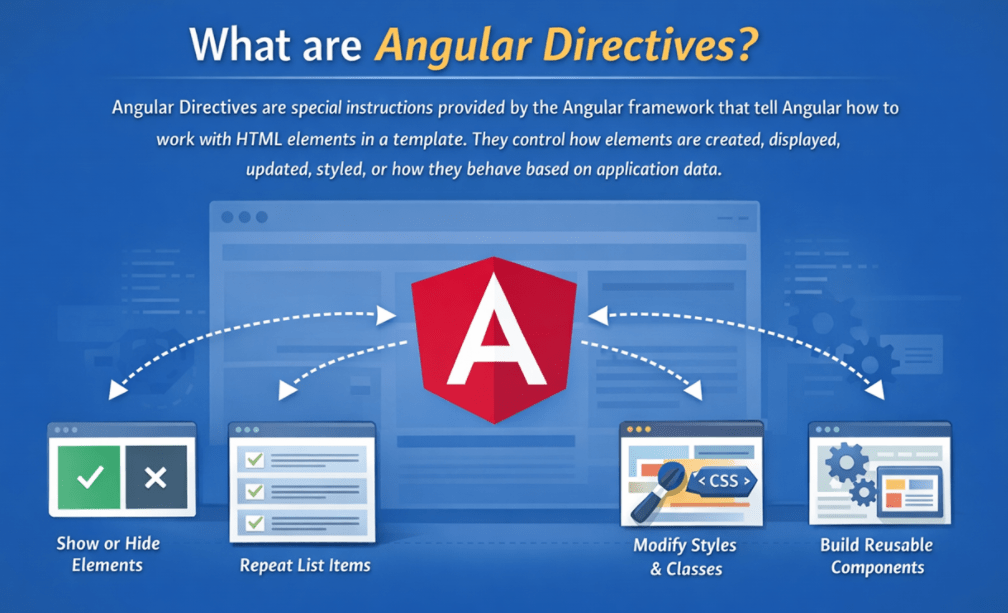
Using directives, Angular can:
- Show or remove parts of the UI when needed
- Repeat UI elements for a list of data
- Change styles, classes, or attributes dynamically
- Add behaviour to existing HTML elements
- Build reusable UI blocks using components
Directives act as a bridge between component logic and the HTML view. Angular reads these directives during its change detection process and automatically updates the DOM whenever the underlying data changes.
Internally, directives are implemented as classes, but as developers, we mainly use them inside templates to control how the UI looks and behaves. Angular provides many built-in directives that are used in almost every application, and it also allows you to create custom directives to reuse behaviour across different parts of an application.
What are the Different Types of Directives Available in the Angular Framework?
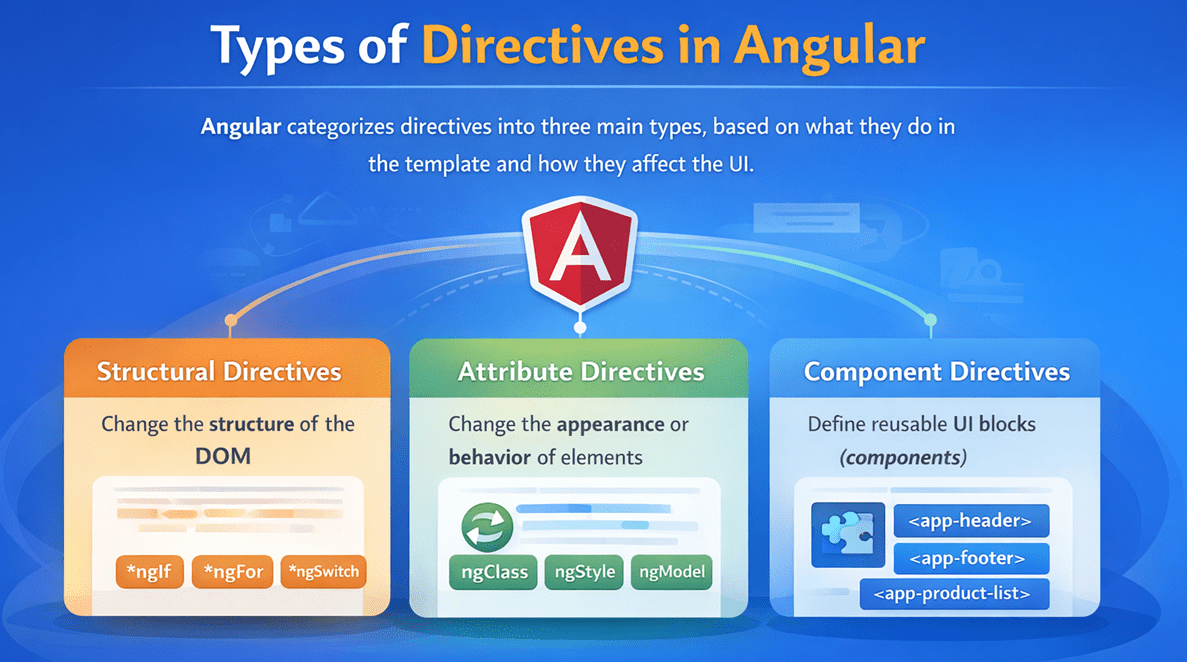
Angular categorizes directives into three main types, based on what they do in the template and how they affect the UI:
- Structural Directives: These directives change the DOM structure by adding or removing elements. They determine whether a part of the UI exists.
- Attribute Directives: These directives change the appearance or behaviour of existing elements without changing the DOM structure. They control how an element looks or behaves.
- Component Directives (Components): These directives have their own templates and styles. They are reusable UI components and the main building blocks of Angular applications.
This classification helps developers clearly understand how Angular controls the UI, even though newer Angular versions have introduced improved template syntax. The core concept of these three directive types remains fundamental in Angular development. For a better understanding, please have a look at the following image:
What are Structural Directives?
Structural directives are Angular directives that control the structure of the DOM. They decide whether an element should exist, how many times it should appear, or which UI block should be rendered, based on conditions or data.
In simple terms, structural directives:
- Add elements to the DOM
- Remove elements from the DOM
- Render elements repeatedly for a collection
Key characteristics of structural directives:
- They change the DOM layout, not just styles or visibility
- They are identified by the * (star) syntax in templates
- Only one structural directive can be applied to a single element
- They work internally by manipulating Angular templates
Examples of Structural Directives
Structural directives change the DOM structure (add/remove elements).
Common examples:
- *ngIf – conditional rendering
- *ngFor – looping/repeating elements
- *ngSwitch
In newer Angular versions, these are being replaced by built-in control flow:
- @if
- @for
- @switch
Structural directives are commonly used when parts of the UI need to appear conditionally, lists need to be rendered dynamically, or different UI sections must be shown based on application state.
What are Attribute Directives?
Attribute directives are Angular directives that change the appearance or behaviour of an existing DOM element without changing its structure. They work on elements that are already present in the DOM and enhance them with dynamic styling or behaviour.
In simple terms, attribute directives:
- Do not create or remove elements
- Modify styles, CSS classes, attributes, or properties
- Add reusable behaviour to elements
Key characteristics of attribute directives:
- They are applied like normal HTML attributes
- Multiple attribute directives can be used on the same element
- They react automatically when the bound data changes
Examples of Attribute Directives
Attribute directives modify the appearance or behaviour of existing elements.
Common examples:
- ngClass
- ngStyle
- ngModel
Attribute directives are commonly used for conditional styling, dynamic UI behaviour, and improving user experience while keeping the layout unchanged.
What are Component Directives?
In Angular, a component is essentially a directive with its own template. Component directives are the most powerful type of directives because they define complete, reusable UI sections.
A component directive:
- Has its own selector, template, and styles
- Encapsulates UI and behaviour together
- Can be reused across different parts of the application
- Can contain other components and directives inside its template
Examples of Component Directives
Components are directives with their own template and are used as reusable UI blocks.
- AppComponent
- HeaderComponent
- FooterComponent
- ProductListComponent
- ProductCardComponent
- LoginComponent
Unlike structural and attribute directives, which enhance existing elements, component directives define entire UI blocks. They are the foundation of Angular’s component-based architecture and allow large applications to be built by combining many small, manageable components.
Which Directives Are Deprecated in the Latest Angular Version?
Angular continuously evolves to make templates simpler, more readable, and more performant. As part of this evolution, Angular introduced built-in template control flow starting from Angular v17. With this change, the classic directive-based control-flow syntax has been deprecated in Angular v20.
In Angular v20, the directive-based control-flow syntax is deprecated:
- Conditional rendering using *ngIf (NgIf directive)
- Looping over collections using *ngFor (NgFor directive)
- Switch-case style rendering using ngSwitch, ngSwitchCase, and ngSwitchDefault
These directives are still supported for now, but Angular has officially marked them as deprecated and plans to remove their usage in future versions.
Important: The concept of conditional rendering and looping is not deprecated. Only the directive-based syntax is being phased out.
Why Were These Directives Deprecated?
Angular is standardizing on built-in template control flow, which provides several advantages over directive-based control flow:
- Better readability: The new syntax looks closer to traditional programming control flow, making templates easier to understand.
- Simpler usage: Developers no longer need to import additional modules just to use common control-flow features.
- Improved performance: Angular can optimize rendering and change detection more effectively.
- Stronger type safety: Templates benefit from improved type checking and safer expressions.
Because of these benefits, Angular recommends using built-in control flow for all new development.
What Are the Alternatives of Deprecated Directives?
Angular provides modern and cleaner alternatives to the deprecated directive-based control flow. Instead of using structural directives for control flow, Angular now recommends using built-in template control flow blocks.
Recommended Alternatives
Angular’s built-in template control flow includes:
- @if — for conditional rendering
- @for — for looping over collections
- @switch — for switch-case style rendering
These alternatives replace the older directive-based syntax while keeping the same functionality.
Why These Alternatives Are Better
Using built-in control flow results in:
- Cleaner and more readable templates
- Easier debugging and maintenance
- Better performance optimizations
- Improved type safety in templates
- Forward compatibility with future Angular versions
Angular also provides official migration tools to help existing applications gradually move from deprecated patterns to the new syntax during version upgrades.
Conclusion: Why Angular Directives Matter
Angular directives matter because they are the core mechanism that turns static HTML into a dynamic application UI. They allow Angular to control how the user interface is rendered, styled, and updated based on data and application state.
Using directives, developers can:
- Keep templates clear, declarative, and easy to read
- Control what appears on the screen and when
- Add reusable behaviour and styling to elements
- Build scalable and maintainable user interfaces using components
- Reduce duplication and maintain consistency across the application
As Angular evolves, the syntax and features may change, but the core idea remains the same: directives and directive-based concepts are how Angular organizes and manages UI logic. Understanding directives helps developers build clean, structured, and scalable applications that are easier to maintain as they grow.
In the next article, I will discuss the Angular Structural Directives with Examples. In this article, I aim to provide an overview of Angular Directives. I hope you enjoy this article.

About the Author: Pranaya Rout
Pranaya Rout has published more than 3,000 articles in his 11-year career. Pranaya Rout has very good experience with Microsoft Technologies, Including C#, VB, ASP.NET MVC, ASP.NET Web API, EF, EF Core, ADO.NET, LINQ, SQL Server, MYSQL, Oracle, ASP.NET Core, Cloud Computing, Microservices, Design Patterns and still learning new technologies.
Osm