
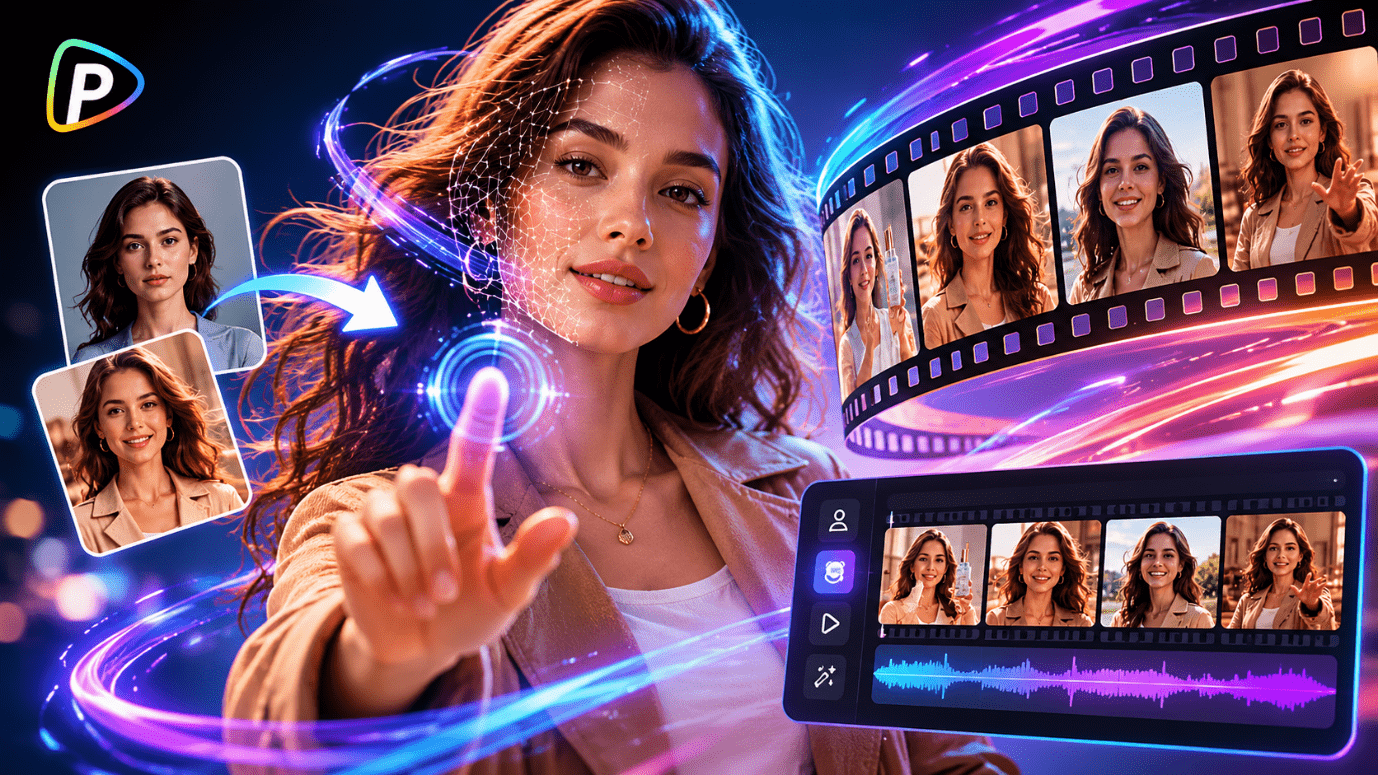
AI-generated video editing has evolved rapidly over the last few years, and face replacement technology has become one of the most widely used categories in creative content production. Pollo AI video face swap tool is part of this growing ecosystem, offering browser-based AI video face swapping alongside a much larger collection of AI video and image generation tools.
Rather than functioning as a standalone face replacement utility, Pollo AI positions its AI video face swap tool inside a broader creative platform that includes text-to-video generation, image animation, AI avatars, anime video generation, video enhancement, and AI-powered editing workflows.
This review examines how the AI video face swap tool performs in real-world scenarios, how its features integrate into the larger Pollo AI ecosystem, and whether the platform delivers practical value for creators, marketers, and casual users.
What is Pollo AI video face swap tool?
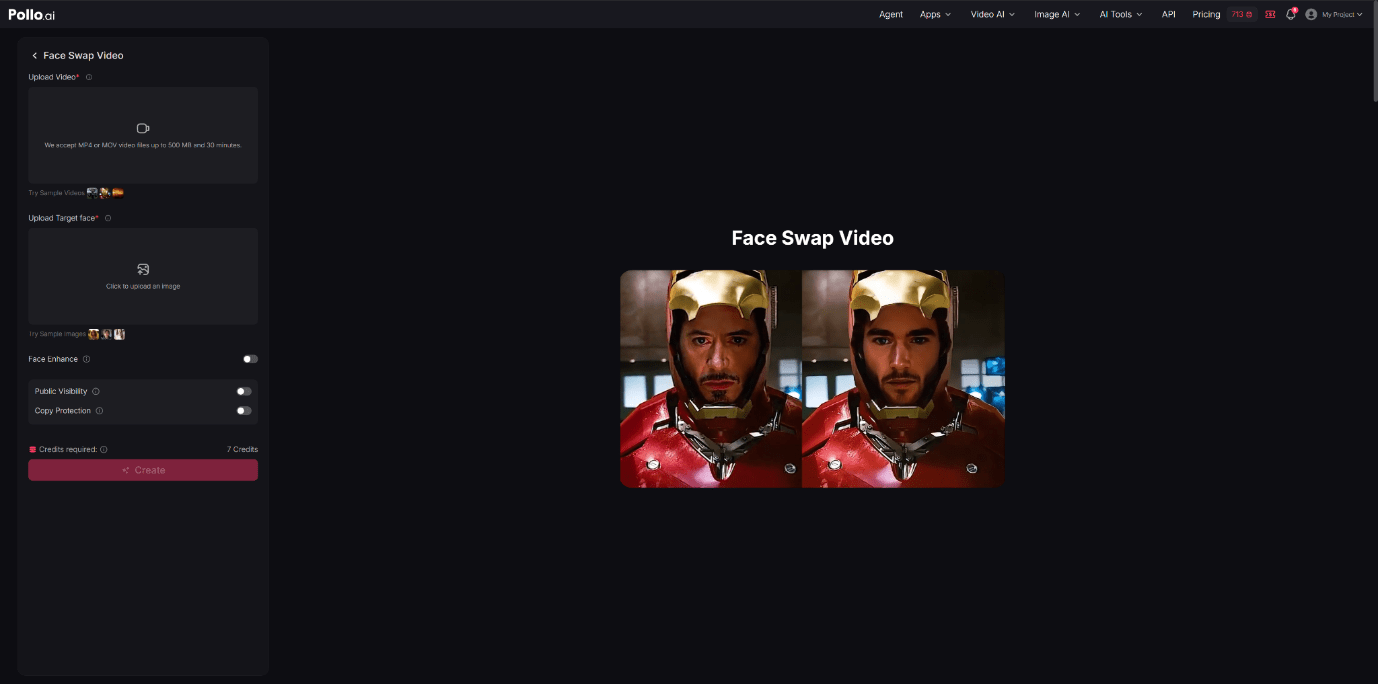
Pollo AI video face swap tool is an online AI-powered system designed to replace faces in videos automatically using machine learning-based facial detection and synthesis technology.
The platform supports MP4 and MOV video uploads up to 500 MB and 30 minutes in length. Users upload a target video, upload a face image, and allow the AI to process the replacement automatically. According to the platform, the tool is designed to maintain facial expressions, lighting consistency, and the overall visual style of the original footage.
One of the more interesting aspects of Pollo AI video face swap tool is that it operates as part of a broader AI content creation environment rather than a single-purpose app. The platform also includes Text to Video AI, Image to Video AI, Reference to Video, Video to Video AI, AI Animation Generator, Photo to Video Avatar, AI Video Editor, AI Image Generator, Image to Image AI, and AI Photo Editor.
In addition, Pollo AI supports multiple AI generation models including Pollo 2.5, Veo 3, Kling AI, Runway, PixVerse AI, Hailuo AI, Vidu AI, Luma AI, and Wan AI.
This wider ecosystem gives the AI video face swap tool more flexibility because users can combine face swapping with other creative workflows instead of treating it as an isolated editing feature.
Key Features of Pollo AI video face swap tool

AI Video Face Swap Automation
The main feature is automated face replacement. Instead of manually tracking facial movements frame by frame, the AI detects faces automatically and applies the replacement with minimal user input.
The workflow is intentionally simplified. Users upload a video, upload the target face image, click the Apply Face Swap button, and allow the AI to generate the final output. This structure makes the AI video face swap tool accessible even to users with no prior editing experience.
Ultra-Realistic Face Blending
Pollo AI emphasizes realistic facial blending, including lighting adaptation, facial expression matching, and shadow consistency. This becomes particularly useful for creators working on social content or travel video maker projects where maintaining visual realism across moving outdoor scenes is important. In practice, the system attempts to preserve the natural movement of the original actor while integrating the uploaded face into the scene. For shorter clips, travel vlogs, and stable camera angles, the blending can appear relatively convincing.
Browser-Based Editing
Because the platform runs online, users do not need advanced local hardware or professional editing software. The AI processing occurs in the cloud, reducing the technical barrier for beginners.
Integrated AI Video Ecosystem
One advantage of Pollo AI video face swap tool is that it exists within a much larger creative suite.
Users can combine the AI video face swap tool with additional features like AI Video Enhancer for improving visual clarity, AI Video Upscaler for higher-resolution exports, Video to Anime for stylized animation conversion, AI Dance Generator for motion-focused clips, and Face Enhancer or Denoise Video tools to improve facial detail and overall video quality.
Marketing and Social Media Templates
Pollo AI also includes specialized creative apps designed for marketing and social media production, allowing users to create UGC Video Ads, Product Videos, Clone Video Ads, Facebook Ad Videos, Testimonial Videos, Clone Viral Videos, Celebrity Videos, YouTube Outro Videos, Faceless Videos, and Dancing Girl Videos within the same ecosystem.
This suggests the platform is designed not only for entertainment edits, but also for social media marketing and advertising workflows.
Performance
The performance of Pollo AI video face swap tool varies depending on the complexity of the video, lighting conditions, facial movement, and source image quality. In practical usage, some scenarios perform noticeably better than others.
Performance in Movie and Cinematic Clips
When applied to cinematic scenes with stable lighting and medium close-up shots, the AI video face swap tool generally maintains facial alignment effectively.
Facial expressions remain reasonably synchronized during slower dialogue scenes, and lighting adaptation helps reduce the artificial “cut-and-paste” appearance seen in lower-end face swap systems.
However, rapid action scenes can still introduce artifacts around the jawline or eyes, especially during aggressive head movement.
Performance in Anime and Stylized Video
Pollo AI video face swap tool claims compatibility with anime and stylized footage. In practice, results can vary significantly depending on the art style.
For semi-realistic animation styles, the AI adapts relatively well. Highly exaggerated anime expressions or distorted perspective shots may reduce consistency.
That said, combining the face swap tool with Pollo AI’s AI Animation Generator or Video to Anime workflows can create more visually cohesive outputs for stylized projects.
Performance in Social Media Content
For short-form social videos, meme edits, and viral-style clips, the AI video face swap tool performs more consistently.
Since these videos are often shorter and viewed casually on mobile devices, minor imperfections are less noticeable. The platform’s fast workflow also aligns well with rapid content publishing cycles used on TikTok, Instagram, YouTube Shorts, and Facebook.
Performance in Marketing and UGC Video Ads
The platform’s advertising-oriented apps, such as UGC Video Ads and Clone Video Ads, suggest a commercial use case beyond entertainment.
In marketing-style videos with controlled lighting and direct-to-camera presentation, the AI face replacement tends to look cleaner and more stable. This makes the tool potentially useful for rapid ad prototyping or localized campaign variations.
Rendering Speed and Workflow Efficiency
Compared with traditional VFX editing pipelines, the generation speed is significantly faster. Users can test multiple concepts quickly without manually rebuilding projects.
This faster iteration cycle may be one of the strongest practical advantages of the AI video face swap tool.
How Does it Work?
Pollo AI video face swap tool follows a relatively straightforward three-step process.
Step 1: Upload a Video
Users first upload the source video in MP4 or MOV format. The platform currently supports files up to 500 MB and 30 minutes long.
Step 2: Upload the Target Face
Next, users upload a face image that will replace the original face within the video.
Higher-quality images with clear lighting typically improve the final result.
Step 3: AI Face Detection and Processing
The AI automatically detects facial landmarks, tracks movement throughout the clip, and generates the swapped output.
During processing, the AI attempts to preserve facial expressions, lighting consistency, shadows, head movement, and overall scene continuity to make the face swap appear more natural within the original footage.
The entire workflow is designed around minimal manual editing, making the AI video face swap tool approachable for beginners.
Practical Use Cases
Pollo AI video face swap tool supports a wide range of creative applications beyond simple entertainment edits.
Social Media Content Creation
Creators can produce meme videos, reaction edits, parody content, or celebrity-style transformations for short-form platforms.
Marketing and Advertising
Businesses may use the AI video face swap tool alongside UGC Video Ads, Product Video workflows, or Testimonial Video templates to generate rapid advertising variations.
Music and Entertainment Projects
For entertainment-focused creators, the platform also supports workflows for Music Videos, Narrative Music Videos, Singing Videos, Lyric Videos, and Baby Dance Videos, making the AI video face swap tool adaptable to multiple creative styles.
Filmmaking and Storytelling
Pollo AI also expands into filmmaking-oriented content creation by supporting Movie Trailer generation, B-Roll Video production, Teaser Videos, Story Videos, Anime Videos, News Videos, and Explainer Videos, allowing creators to integrate AI face swapping into broader storytelling workflows.
Is it Worth it?
Pollo AI video face swap tool is most effective for users seeking fast, accessible AI-powered video editing rather than professional cinematic compositing precision.
Its main strengths include a simplified workflow, browser-based accessibility, relatively fast rendering speeds, broad AI model support, integration with multiple creative tools, and strong compatibility with short-form content production workflows.
The platform becomes more compelling when viewed as a complete AI content ecosystem rather than only a face swap utility. Users interested in AI avatars, text-to-video generation, video enhancement, or social media production may find additional value in the broader toolset.
At the same time, the AI video face swap tool still has limitations common to most AI-generated video systems. Complex motion, heavy occlusion, and highly dynamic scenes can reduce realism, and advanced editors may find the lack of granular manual control restrictive.
For casual creators, marketers, and social media users, however, Pollo AI video face swap tool offers a relatively accessible entry point into AI-assisted video production workflows while keeping the editing process simple and fast.